Change tab order in templet for use with a barcode scanner

Hi
How do I control the Tab order with a barcode scanner?
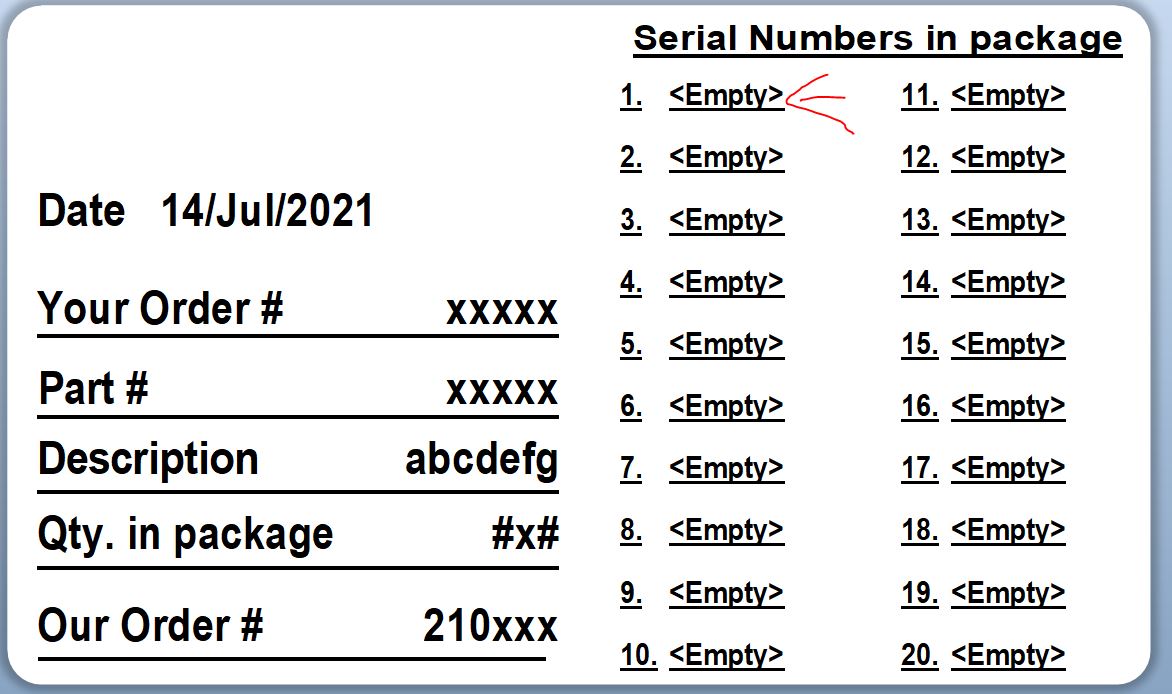
I want to scan a barcode and then the cursor should jump to the next <empty> fields.
Currently when I press TAB , the cursor moves to "random" fields.
Thanks
-
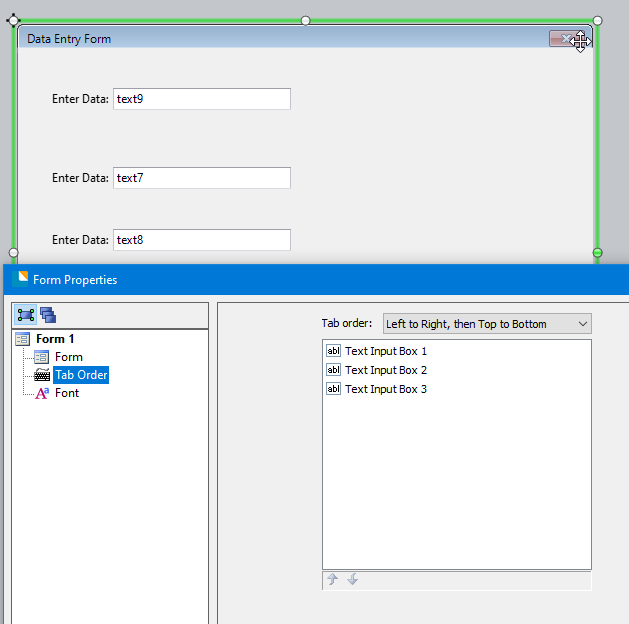
Hello Ephraim, thank you for your post! Are you using a Data Entry Form to enter data with your barcode scanner? If you are, you can change the order that you tab through such as in this screenshot (note, that this is the Form Properties pane, not the properties for an input object):
 0
0 -
Hello Al
I am not using a Data Entry Form, I am using the Templete.
Thanks
Ephraim
0 -
On the template the tab order is set by the order in which the fields are added I believe and I dont think it is possible to deviate from that.
If you using the Data Entry Form as Al suggested then you can do this and if you add an Preview of Template image on your entry form the operators could see the fields being populated in the order your require to
For example
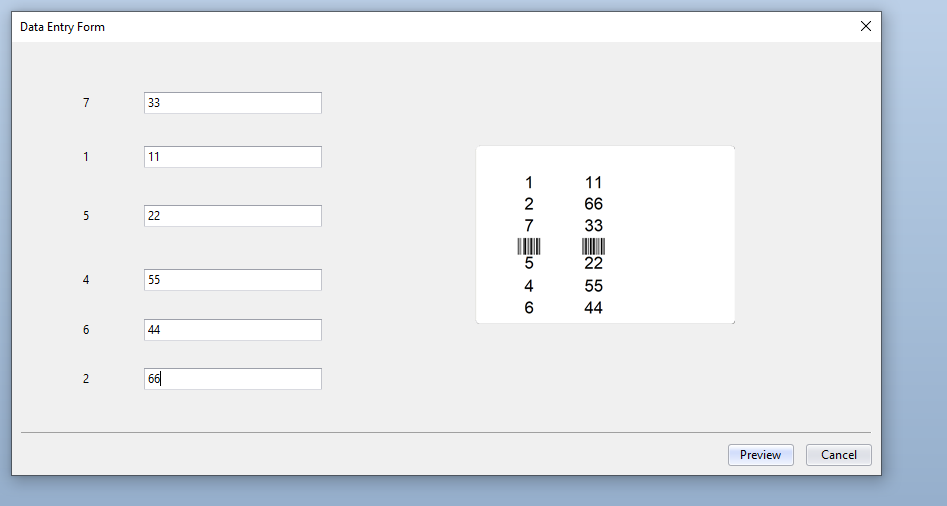
The number on the left are the order the fields were added to the label (i deleted field 3)
The number in the entry boxes are the order I set BarTender to tab between then going from 11 to 66.
On the label preview the column of fields on the left is the position of the fields in relation to one another whilst the second value for each shows the entered values
0


Bitte melden Sie sich an, um einen Kommentar zu hinterlassen.
Kommentare
3 Kommentare