BarTender Print Connector for BC – Templates/mappings deleted during sync, and trial licensing question

ello,
We are using the BarTender Print Connector for Dynamics 365 Business Central and have run into a recurring issue: BarTender templates we create in Business Central are being deleted unexpectedly, along with all of their field mappings.
What we observe:
- The deletions happen in bulk, all within the same short time window (not one-by-one).
- We checked the Business Central change log, and the entries show a "Delete" change type for the affected templates and mappings, attributed to a single user/integration account at that timestamp.
- We can confirm that no one manually deleted these records. The pattern strongly suggests an automated process (e.g. the Sync Libraries job) is triggering the deletion in the background, rather than a person performing the action.
Working theory – Sync Libraries and pagination:
We reviewed the BarTender Integration Entries page for the exact timestamps of the deletions. We found two requests logged at that time:
1. A GET request to /api/printers
2. A POST request to /api/librarian/spaces/1/files/search, with body: {"SearchFileAttributeType":1, "FileNameContainsQuery":".btw", "MetadataKeysExistQuery":"", "Limit":25, "Skip":250}
This second call appears to be part of a paginated scan of our BarTender Cloud template library (we have more than 250 .btw files, so the connector is paging through them in batches of 25). Our concern is that if this paginated scan is interrupted or returns an incomplete result for any reason (timeout, rate limit, temporary connectivity issue), the connector may be treating the incomplete list as the full/current state of the library and deleting any local Business Central templates and mappings that are not present in that incomplete result.
Could you help us confirm:
1. Whether the Sync Libraries process deletes local Business Central templates/mappings when a template cannot be matched in the results retrieved from BarTender Cloud.
2. Whether the paginated /files/search calls used during sync are vulnerable to returning incomplete results (e.g. due to timeouts, rate limiting, or interruption mid-scan), and whether that could trigger unintended deletions on the Business Central side.
3. Whether there is a way to make this sync behavior safer — for example, only adding/updating templates rather than deleting them when a template is temporarily not found in a sync pass.
Separate question – Print Connector app trial/licensing:
We want to rule out a licensing-related cause as well. Our BarTender Cloud Automation subscription is active and paid. However, we understand that the BarTender Print Connector app installed in Business Central itself comes with its own separate 30-day free trial, requiring a separate subscription to continue beyond that period, independent of the Cloud Automation subscription.
Could you confirm:
1. What happens technically when the Print Connector app's own 30-day trial period expires while the underlying BarTender Cloud Automation subscription remains active and paid — specifically, whether expiry can cause the app to fail to sync correctly, return incomplete data, or delete existing templates/mappings in Business Central.
2. How we can check, from the Business Central side, whether our Print Connector app trial has expired, and what subscription we need to purchase to keep using it going forward.
We are happy to provide:
- The exact timestamps of the deletion events from our change log.
- The full BarTender Integration Entries request/response logs for that time window.
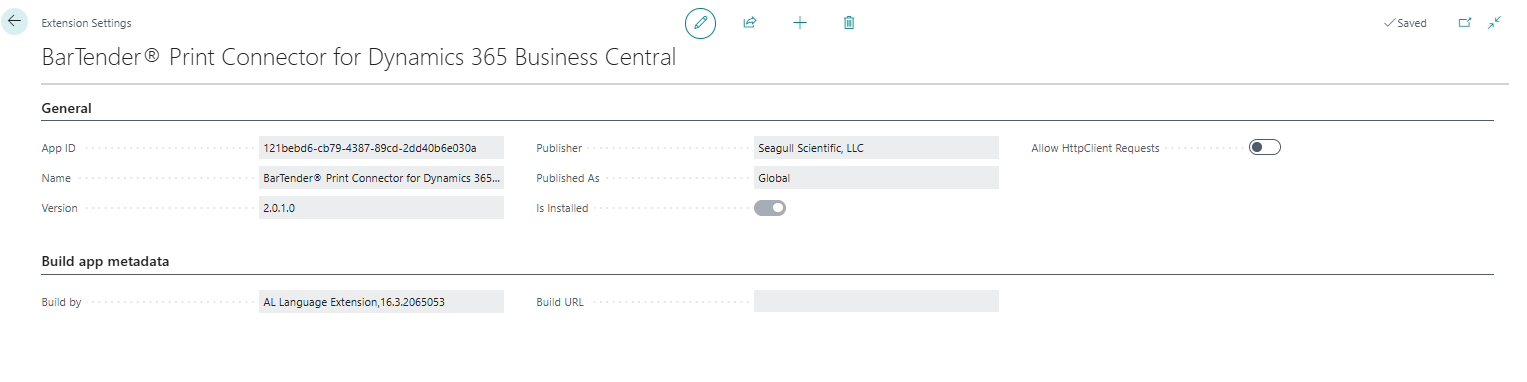
- Our Business Central app version, installation date, and environment details.
Please let us know what additional information would help you investigate, and how we can prevent this from happening again.
Thank you,
BR
-
Hi BR,
Sorry I can't help with your issue because I am struggling to establish my connection with BC & BTCloud. Did you have any struggles? When I test Connection from the Bartender Setup page, I get an error back saying “The data does not represent a valid JSON token.”
0

Bitte melden Sie sich an, um einen Kommentar zu hinterlassen.
Kommentare
1 Kommentar