How to thin the lines of a table

Hi everybody,
Does anyone know how to thin the lines of a table, not just the border lines?
Thanks a lot!
0
-
Hi!
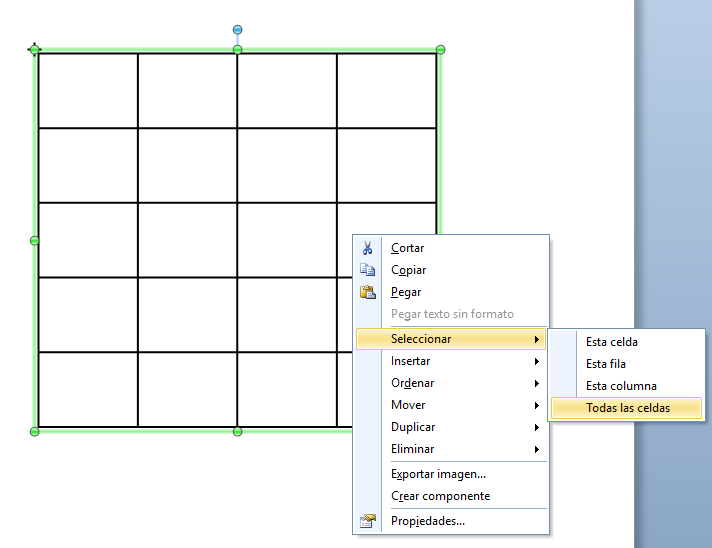
You have to click the table with the mouse's right button and click “Selection” and then click on the option “All cells”
The next step is to go to the thickness line option and choose the value that you prefer
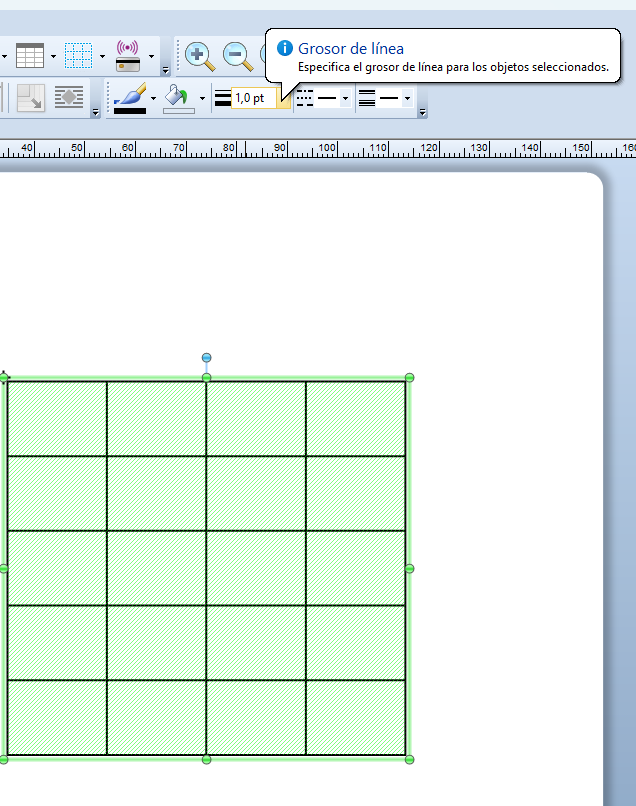
Finally, the lines of the table will be thiner or thicker:
 0
0 -
Amazing, thank you very much :) !!!
0

Bitte melden Sie sich an, um einen Kommentar zu hinterlassen.
Kommentare
2 Kommentare