How Bartender handles empty database fields

Hello, I have an Excel spreadsheet connected to Bartender. Im having problems with how the program handles empty columns.
Sometimes the second column in my spreadsheet isn't populated. If I select such entries in the record picker, it crashes out on Print Preview before even getting to producing a label. How do I get Bartender to ignore empty records?
Also, the record picker is populated with blank entries from the first column too. How do I suppress empty records here?
I've played around with suppression but it doesn't seem to work for me.
-
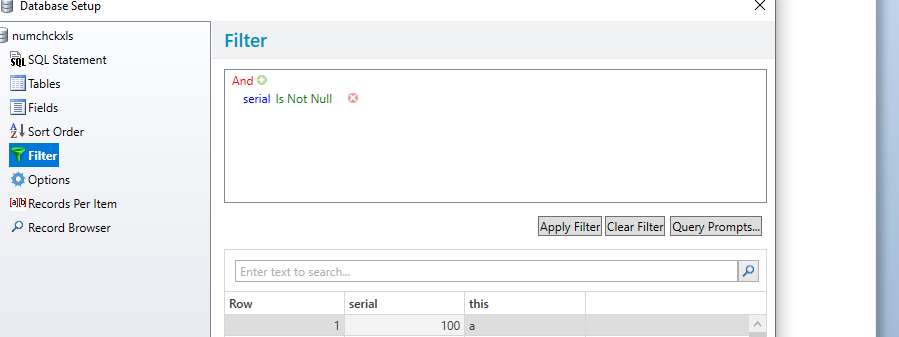
Try adding a filter to your Database Connection Setup so that it excludes empty fields in a certain column eg
 0
0 -
Hi Peter thanks for getting back to me. My Excel file is half populated with column ABC with records and half with columns DEF with records. If I filter by one I loose the other and vice versa. One half (ABC) is used by one record picker on a form and the other another record picker on another form. Is there a away to define two query prompts and use one for each record picker or can you think of an other way round it?
0 -
I have setup a table like this
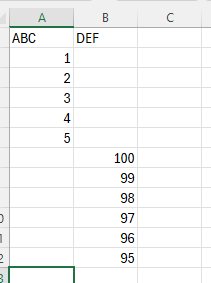
If I add two Database filters and link them to the same form then as long a I add space in the blank filter then the correct record is selected. Y
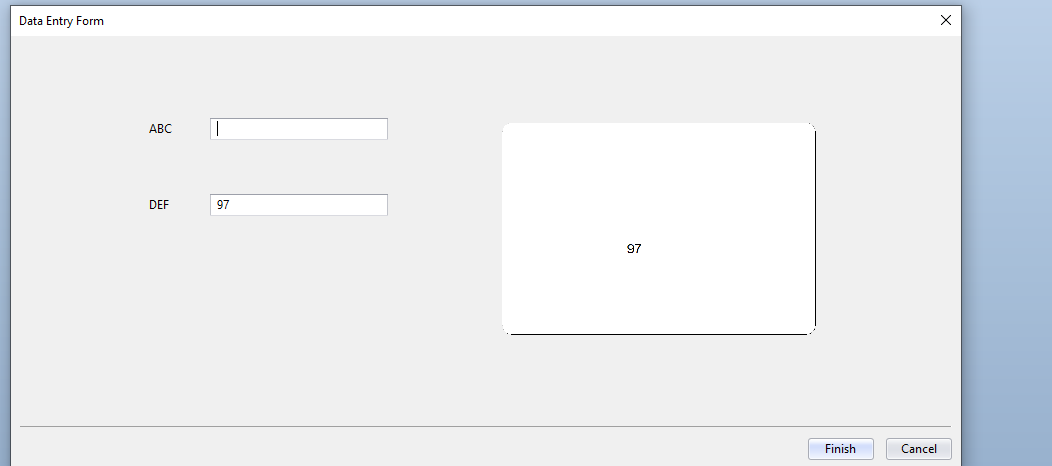
You can set the default value of the filter to be <SPACE> which makes it even easier as it will automatically enter that value for you
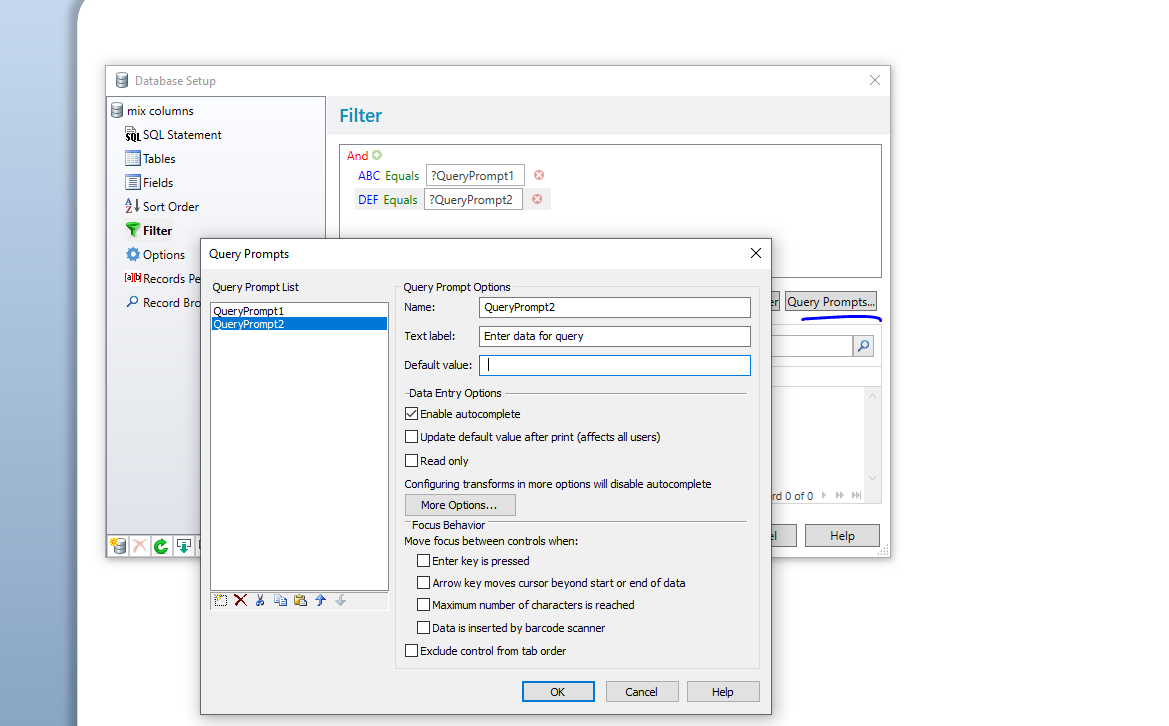
Do this help?
0

Bitte melden Sie sich an, um einen Kommentar zu hinterlassen.
Kommentare
3 Kommentare