Rotating view without rotating print

I have labels that are wide and short, so they come out of the printer in landscape orientation. However, I don't want to have to tilt my head 90 degrees to view it. I was under the impression that Rotate View Left/Right would only change the way the label is displayed on my monitor without rotating the print. But when I set it to rotate right, it changes the orientation in the page setup too. What I'm trying to do is get the label to print in landscape orientation while being able to view it on my screen normally. In Easylabel this function is called Display Orientiation. I don't know what it's called on Bartender.
I'm using Bartender Designer 2022 R8, version 11.3/216048 (64-bit) on Windows 10. The printer is a Zebra ZT411/300dpi. I'm using the BarTender driver Zebra ZPL-II Driver version 11.8.0.
Any insights would be appreciated!
-
I usually just adjust the page setup from Portrait to Landscape and then Edit>Select All and rotate all the fields by 90 degrees
0 -
Hey Mike,
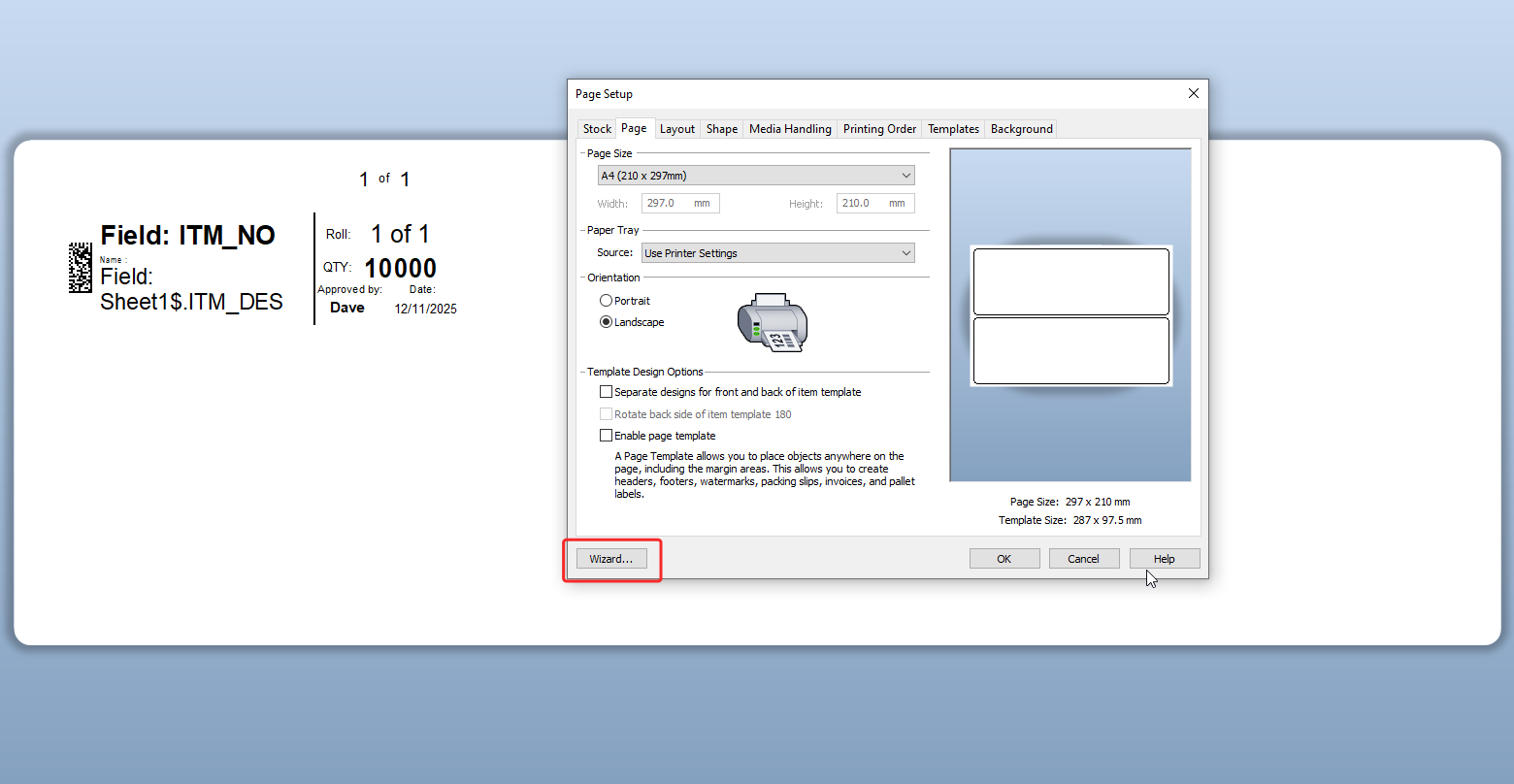
You might want to try running the Page Setup Wizard on the existing or a new BarTender file to reset the layout properly. If the overall layout looks correct but the text orientation is off, you can press Ctrl + A to select all elements on the template, then hold Alt and press the left or right arrow key to re-orient the text without affecting the print layout.
You can also check the Page Setup - Layout tab. Under that section, you can manually adjust the Template Size (width and height) to match your label’s landscape orientation. Hope this helps.
 0
0


Bitte melden Sie sich an, um einen Kommentar zu hinterlassen.
Kommentare
2 Kommentare