QR code containing the entire row data of excel using bartender

I have installed bartender professional 2016 , from which I need to generate the QR code which should consist of the complete row of my excel data(please refer the attached image) .
the only thing I am finding here during the QR code data source connection is Database field dropdown which is allowing me to connect only one field. kindly help me guiding how i can achieve this(please refer the attached images)
After creating this barcode containing all the row data , the end dept will scan and store the same to a win form application containing the data grid view with MSSQL as data source.


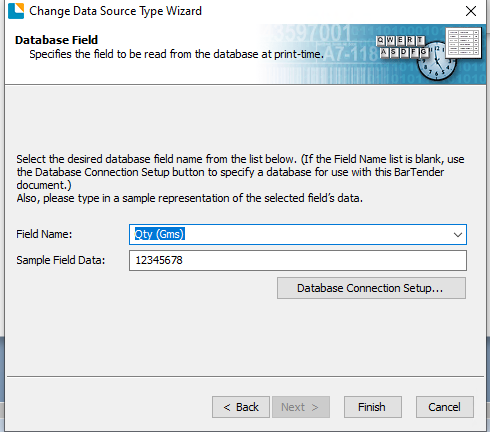
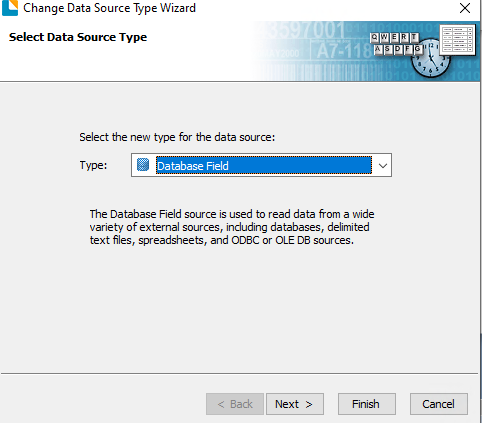
-
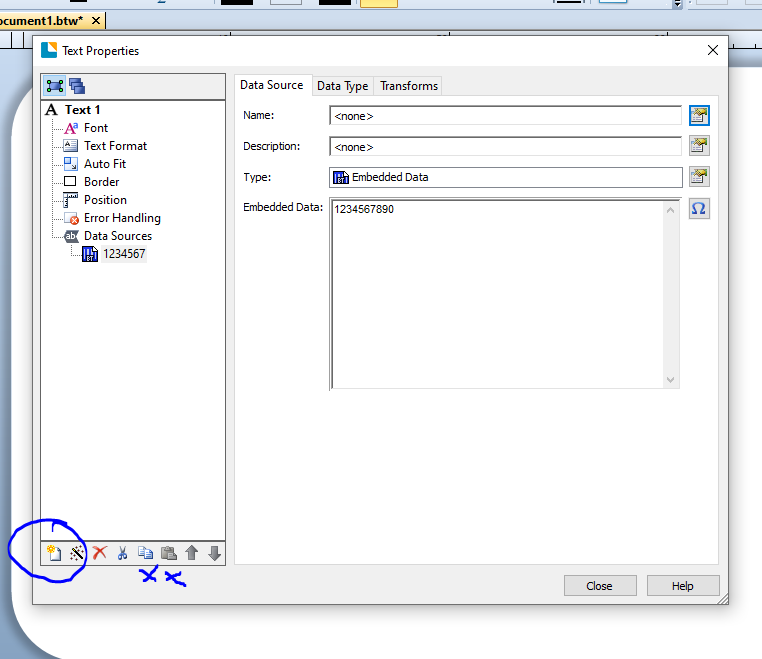
Just link up to the one filed initially as per the above sequence and then use the New Data Source button to add extra substrings to you code and configure each of these. Or probably simpler use the Copy and Paste buttons in the same control area and paste in as many new strings as you need and then for each in turn adjust which filed of the database the data for that string will come from.
The image below is for a none Database field but the buttons are the same:
 0
0

Bitte melden Sie sich an, um einen Kommentar zu hinterlassen.
Kommentare
1 Kommentar