Reading the correct record

Hello, I'm having trouble reading a value from another column when it has a value. In the quare, I have done a SQL database search by EAN code. Finds the product for me and downloads the data. From another table, I am supposed to get the value to the QR code, but it doesn't. After reading from SQL, my product has over 200 records and the QR value is in different places. In all these records, descriptions etc. are duplicated only until the QR data occurs only once. It is in a separate column. The tables are correctly connected. I don't know how to load a record with this content for QR code. Thank you for your help.
Description below.
Example.
I enter the product code into the coffee shop and then select the type of label.
F-PL and the program is to download from the database only the record for printing Y QR code for PL.
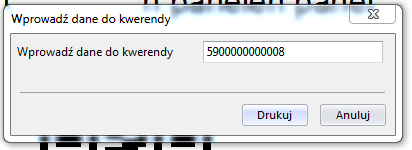
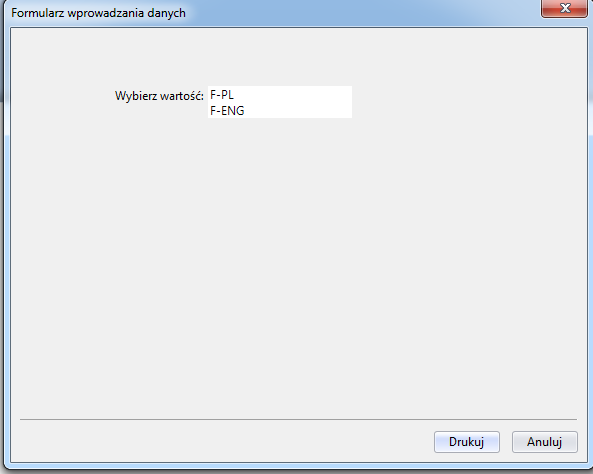

After selecting the appropriate label layer, the program is to load the correct record from the QR code so that the operator does not choose the type of record anymore. And if there is nothing in this column with QR code, it should find and print a label from the SQL database.
-
Sorry a bit confused. Do you mean you have successfully linked upto your database and are pulling through the correct record but that the contents of your QR code come from different fields in your database?
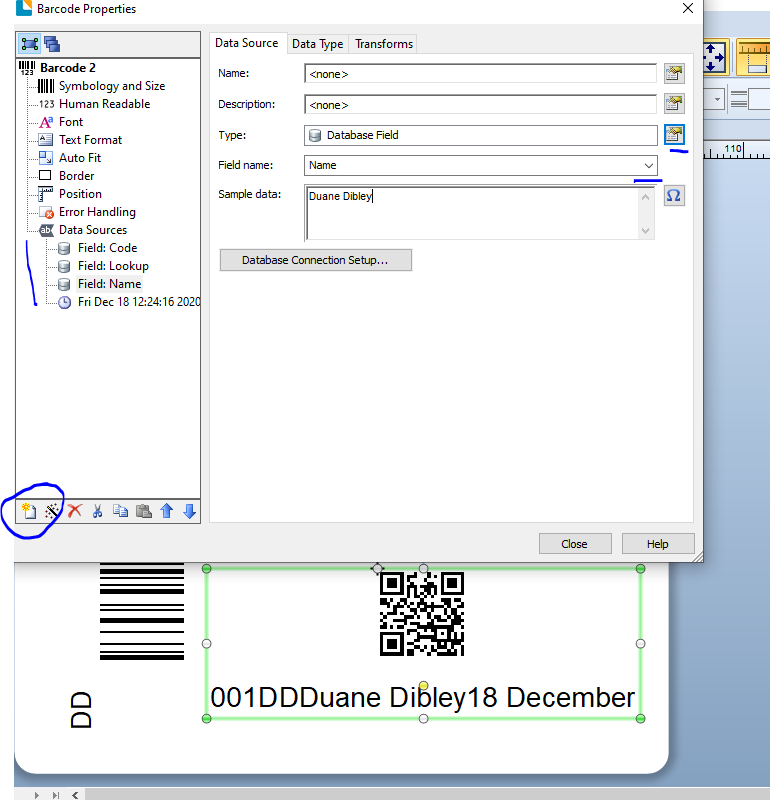
If this is the case, you need to add a different sub-string for each data part that comes from a either a different field or any other source such as the image below
 0
0 -
I see you have edited your original post and so my suggestion above is not valid.
Still a bit unclear but it sounds like when you print if the data in one of your tables is blank you want it print the QR data form a different source instead.
There are a couple of ways to achieve, either add both fields into the same symbol (similar to the example above) but then for the 2nd field use the Transforms>Suppression to not print that field if the previous field is not empty or else you could add a second (alomost) identical template to your label one that link to the 1st table for the QR and the other to the second table but in the Properties of the templates set up Conditional Printing to not print the 1st template if the appropriate field is empty and only print the second template if the first field is empty.
0 -
Hello, Thank you for your help. I changed other bindings to the SQL database and it's ok.
0

Bitte melden Sie sich an, um einen Kommentar zu hinterlassen.
Kommentare
3 Kommentare