Print Preview with title or is there a preview template

Is there a possibility to write additional information like a title at the top or bottom of a page (preview only)? Something like a preview template?
The 'preprinted' box of a layer isn't helpful, cause the templates are already full to the brim.
-
I was going to suggest using this on a text item but I guess you have done something similar with your layers
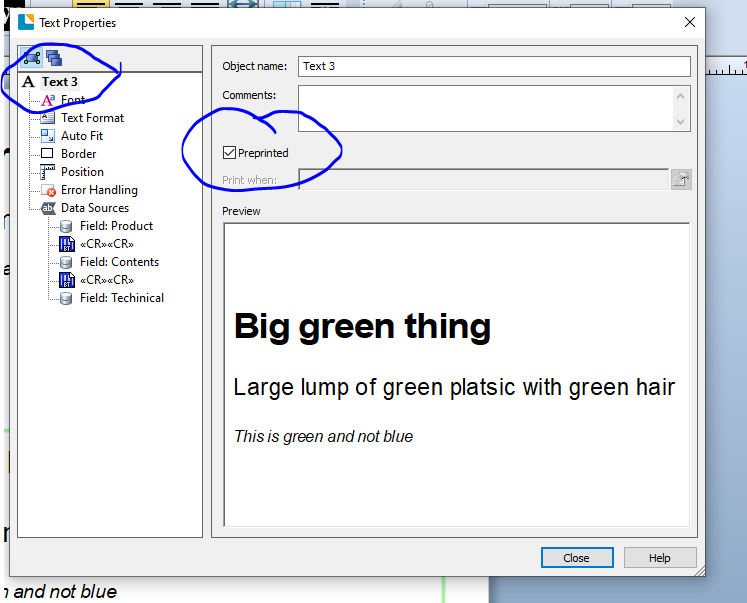
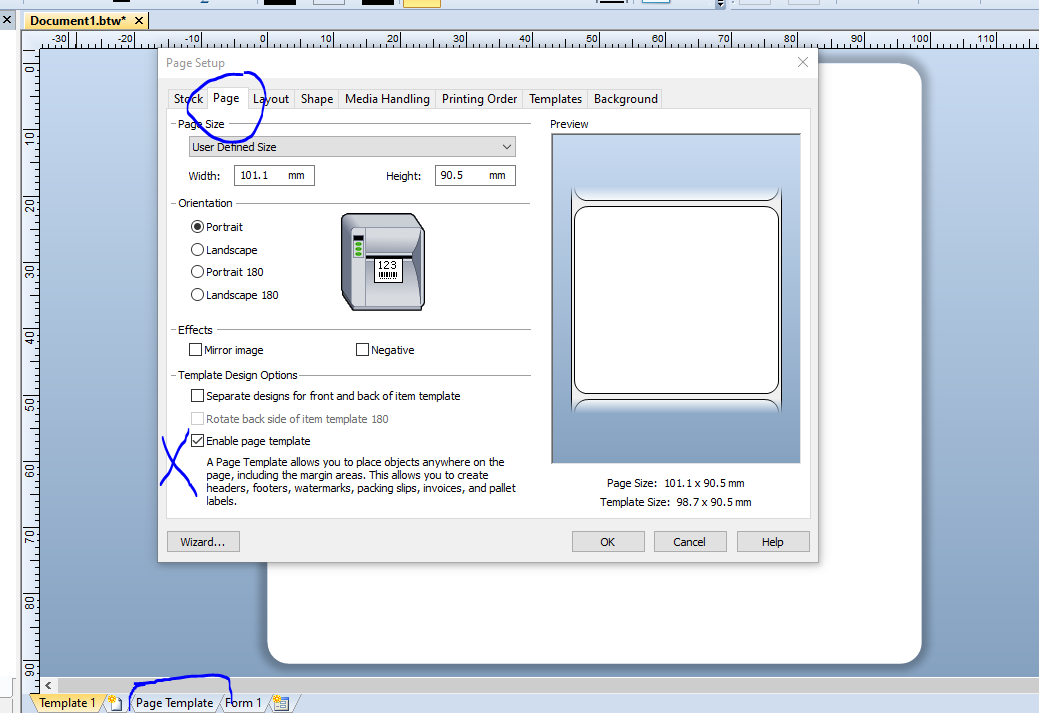
There is also the Page Template option that you could use making anything on there pre-printed:
 1
1 -
Hi Alexander, thank you for your post!
Based on what you've described, I think we need a bit more information on your project to really understand what you're working with (and at that, it would be better for you to open a case with Technical Support).
Going off Pete's suggestion of using the Page Template feature, if you're looking to adding a 'header' or a 'footer', you can check out this article on how to create headers and footers. Once you've enabled the page template, you'll be able to select it and add additional text to it:
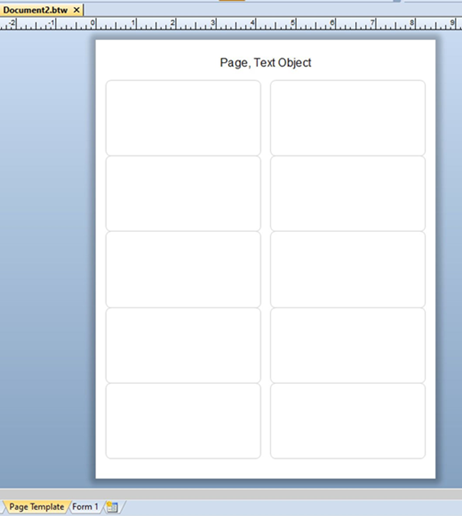
Please note, that in this example, the header will print on the page, not the label; if you wish to not print it, then you would have to open up that text object's properties, and set the Print When condition to Never. Additionally, the Print Preview is going to show you exactly what it'll print like; meaning that if you set the Print When condition to Never, you will not see it in the Print Preview.
I hope that's good enough to get you started! Thanks again.
1 -
Thank you.
The page template feature is what I meant.
In combination with the "preprinted"-flag I can solve my problem.
0


Bitte melden Sie sich an, um einen Kommentar zu hinterlassen.
Kommentare
3 Kommentare