Change field content according to excell cell

Hello everybody,
i'm using an excell sheet as database. The products are jewels and every object has a different Karat.
I need to fill weight field on the label according to the karats and relative weight excell cell.
ES excell sheet:
1) Ring, 18karats, weight for 8 karats (empty), weight for 12 karats (empty), weight for 18 karats (30gr),
2) Necklace, 8karats, weight for 8 karats (80gr), weight for 12 karats (empty), weight for 18 karats (empty),
etc...
Label:
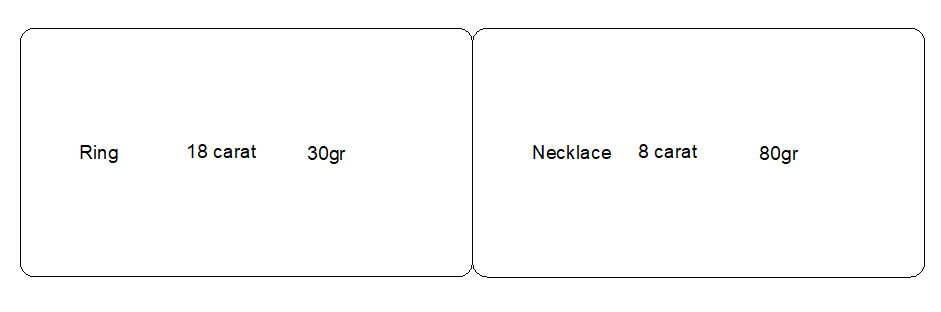
RING - 18karats - 30Gr
Can you please help me? Thanks
-
is "Ring, 18karats, weight for 8 karats (empty), weight for 12 karats (empty), weight for 18 karats (30gr)," all in one cell or in multiple cells like the image below?

If mulitple then the process is fairly straight-forward as you can just add multiple sub-strings to your field and the empty ones will be blank and wont impact the label.
For example:
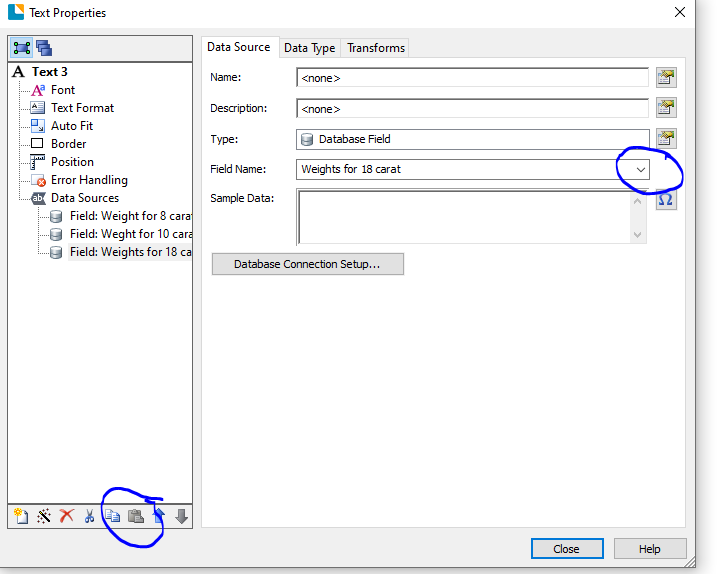
Create a label field linked to say the 8 carat and then go into the Properties of that and use the copy and paste buttons at the bottom of the column on the left to add two new strings adjusting the filed drop down for each to amend which cell the data will come from:
When printing the labels will look like this
I hope this helps,
If the data is all in cell the process will be far more complex and VB would be needed but hopefully this isn't the case
0 -
Dear Pete,
thank you for your fast answer. Unfortunately my customer send me a different excell shee
 t where all weight cells are filled, so i need another solution dependin from the type i need to fill the weight field with the correct weight. Thank you again.0
 -
This should do it
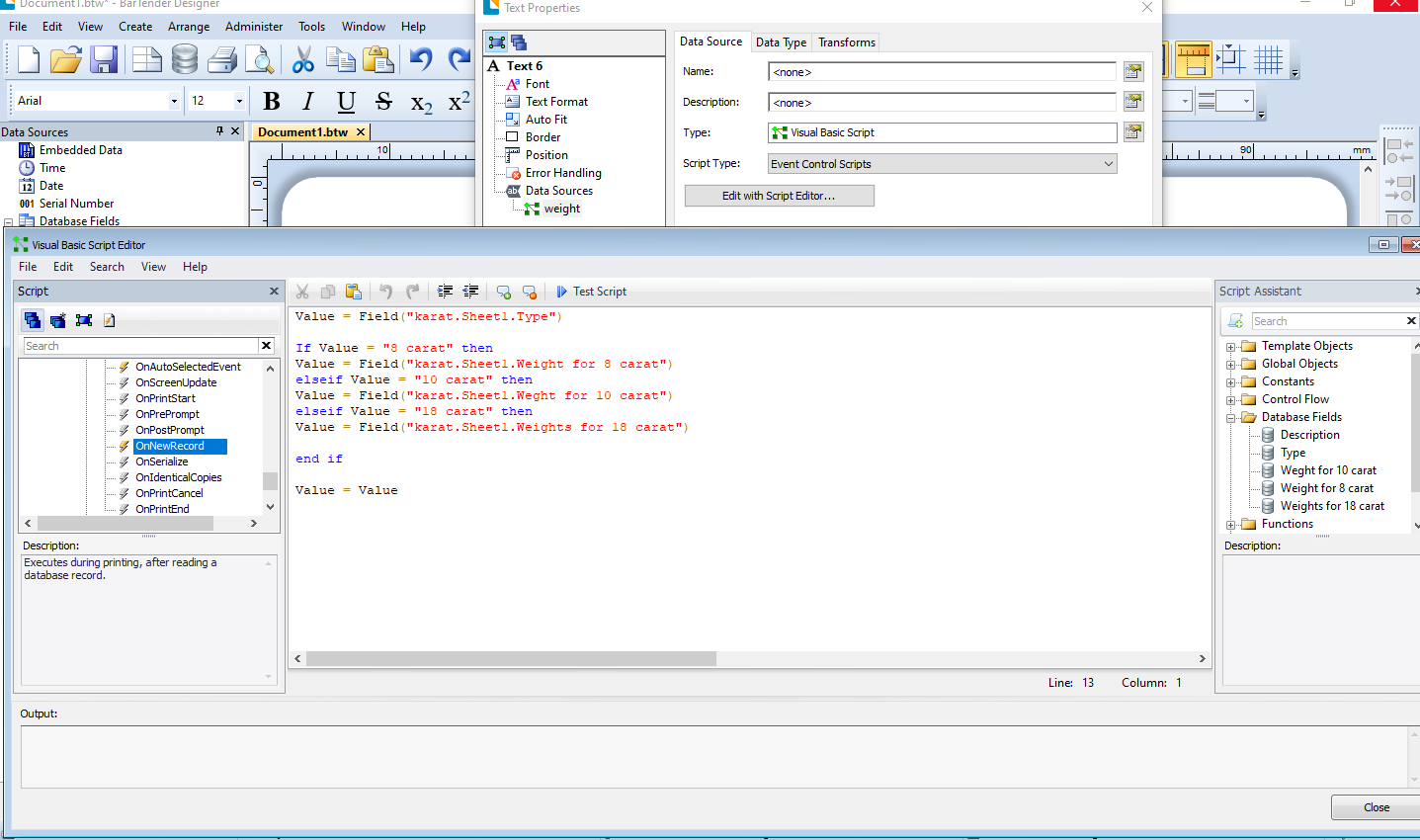
You need to make the VB and Event Controlled Script to be processed OnNewRecord. I have pasted the code below too so you can see it more clearly. To create the VB type in the BOLD parts but to select the fields to use double click on the field name in the database field name section in the column on the right and that will add the correct links in.
Value =Field("karat.Sheet1.Type")
If Value = "8 carat" then
Value = Field("karat.Sheet1.Weight for 8 carat")
elseif Value = "10 carat" then
Value = Field("karat.Sheet1.Weght for 10 carat")
elseif Value = "18 carat" then
Value = Field("karat.Sheet1.Weights for 18 carat")
end ifValue = Value
0

Bitte melden Sie sich an, um einen Kommentar zu hinterlassen.
Kommentare
3 Kommentare