serializing numbers in the middle of data

I'm creating a label where i need to serialize and increment only 3 digits in the middle of the data. Example that needs to incremented is in bold: 520100M37, next would be 520101M37, 520102M37 and so on. I only seem to be able to get the last 2 digits at the end of the data to increment only (37,38,39) when i need the 100,101,102,103 to only increment. Any ideas? Using Bartender 2016 Professional. Thanks!
-
It sounds like you need to break the data up into different sub-strings and then just set the middle string to increment so you end up with something like this:
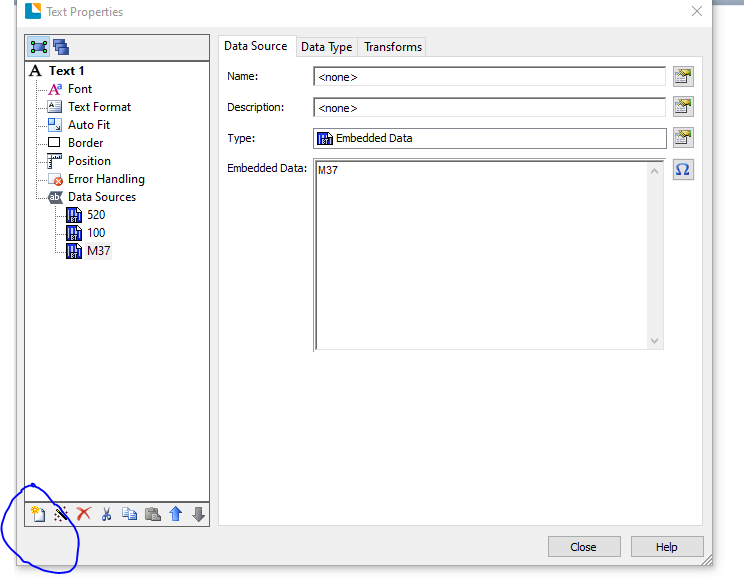
Use the ringed button to add the new substrings.
0 -
Thanks Pete! This accomplished exactly what I needed it to do. Thanks very much for taking the time to respond.
0 -
Hi everyone,
I hope someone still here.
According to this, I face the issue with the QR code.
If I want the QR code to display all of my data source. for example serial number in bold : ST1829000100N0P1F0, ST1829000200N0P1F0, ST1829000300N0P1F0.
How to do that? Because now I can link the QR code with just one name. But I have the data sources more than one.
0 -
If the data for the QR code comes from one source then you need to break it into a number of elements and add separate substrings for each (via the button ringed below) and configure them appropriately.
In the image below string1 keeps the first 6 characters, string 3 just the last 8 whilst the serial number element discards the first 6 and last 8 and then serialises the remainder.
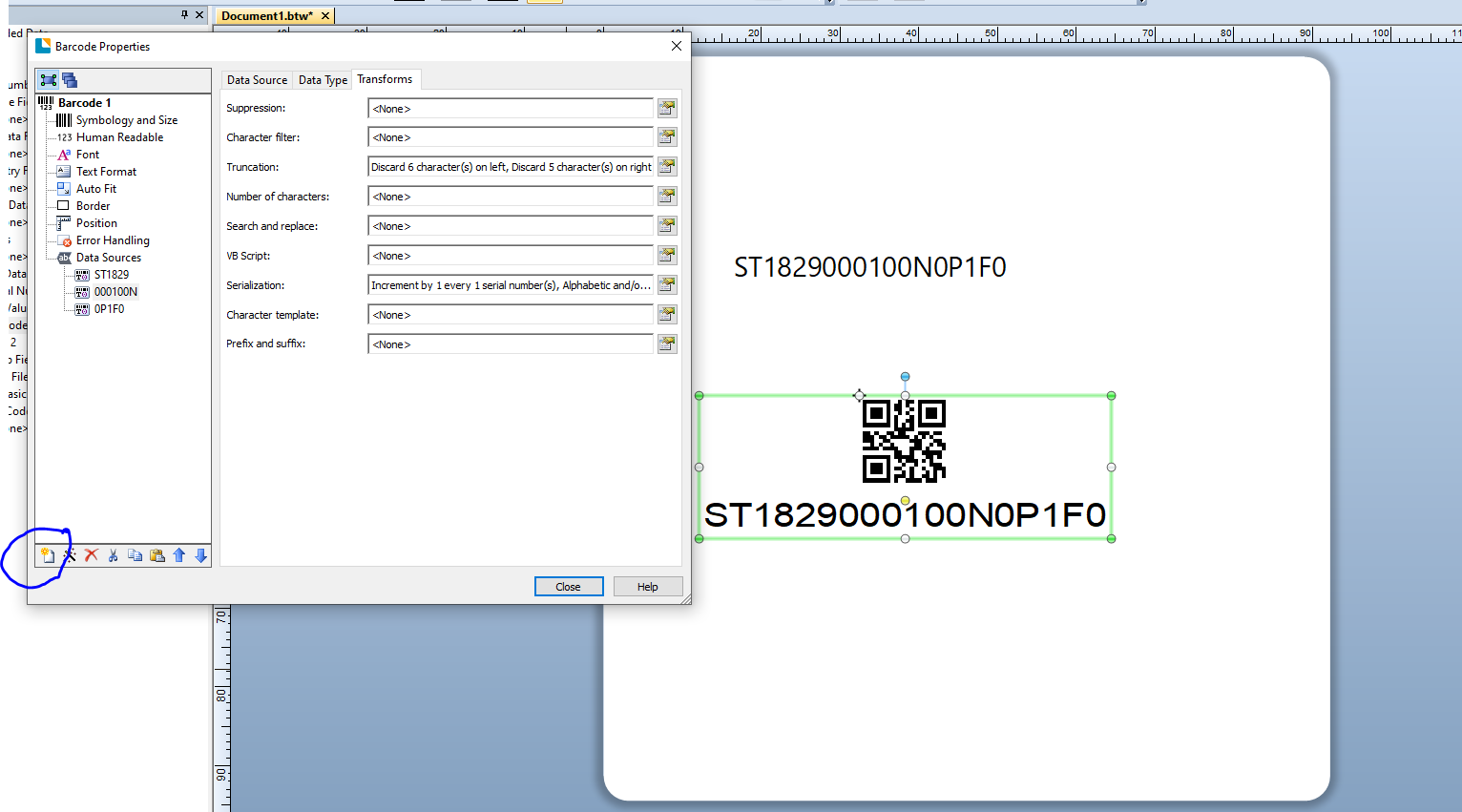
Note: I used the Object Value as the Type for each of these strings, linking it to the text field shown on the label
If the data from the QR already comes from multiple sources you just need to add different substrings into the QR and link those to the sources of the information.
0


Bitte melden Sie sich an, um einen Kommentar zu hinterlassen.
Kommentare
4 Kommentare