Trigger file on a folder shared on network

I have to set up an integration with a trigger file on a shared folder on the network. Every time I try to do the test it gives me an error related to the shared folder: either it gives me access denied, or it doesn't find the folder, etc ...
How can I solve it?
-
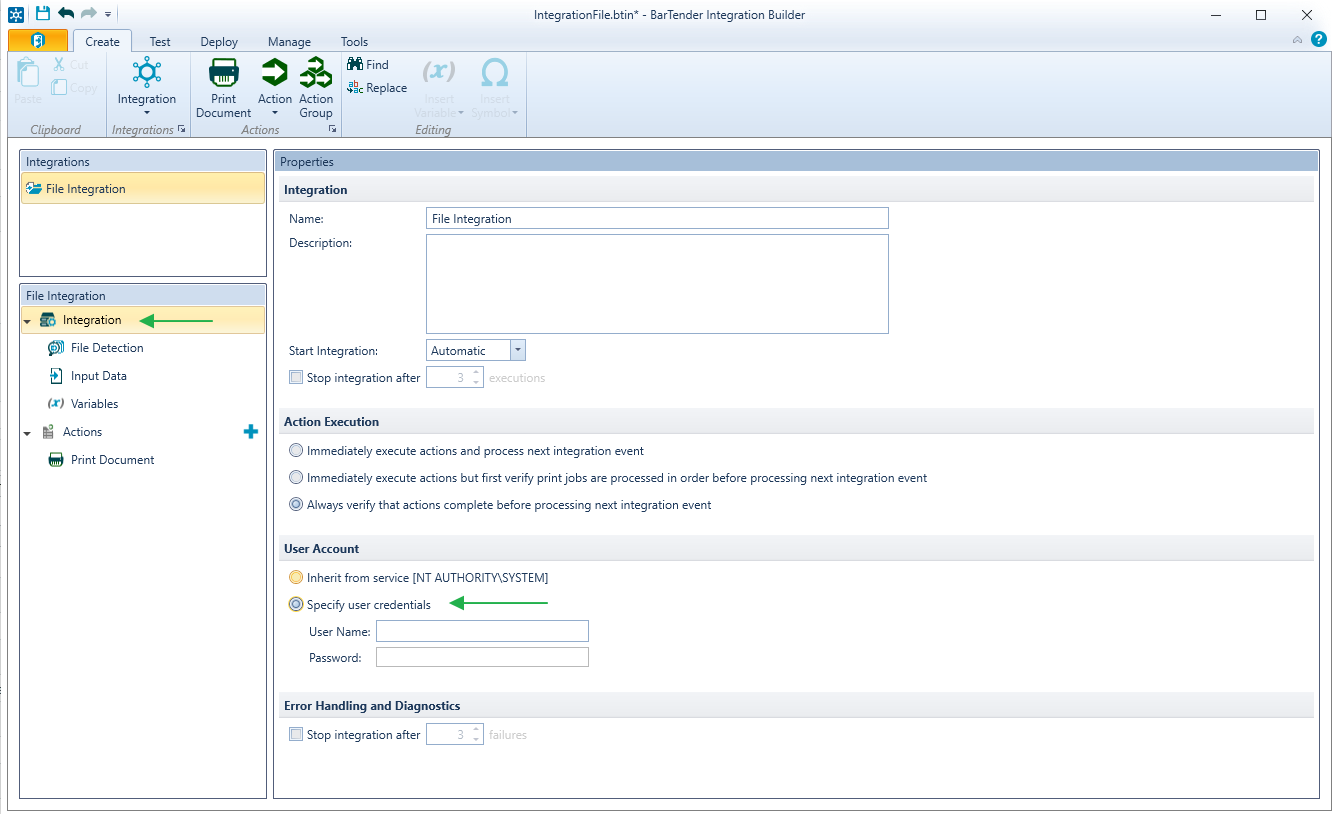
If you are using any network resource (file share, printer shares etc.) or connecting to a remote database, make sure that you are specifying a domain account with local administrator permissions to allow Integration sufficient permissions to run.
 1
1 -
I have had the same problem today using a trigger file on a mapped drive eg S\Zebra\EAN.
When I changed the path to via the network eg \\Server201scanpack\zebra\EAN Integration started working.
0 -
Hello
Integration is not able to connect a network ressource.
The user specified in the setting is changed when attempting to connect instead of using user_name speciied; integration use “computer_name\User name”
How can I specify not to add in front computer name
Domain_name\User_Name is not recognized either by the iSeries Server I try to connect
0 -
Try adjusting the “user” account running the BarTender Print Scheduler service from the default “local system” account to an account that has network rights
0


Bitte melden Sie sich an, um einen Kommentar zu hinterlassen.
Kommentare
4 Kommentare