Print Station: Root Folders/ Unable to configure. Cannot find templates

We all have our "bad technology days" so to speak.
I've been using Bar Tender and Print Station for a long time without many problems. But today is different.
I am unable to use administrative setup, and root folders specifically, today.
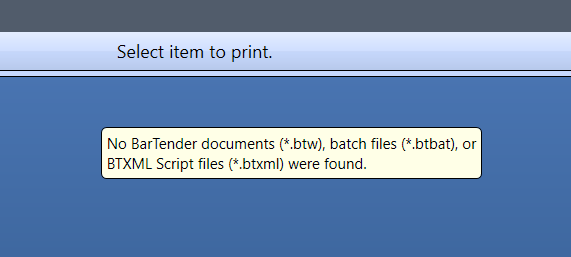
I have a folder with four sub-folders of templates. Print Station will allow me to install one sub-folder by itself to the detriment of all others. And even then, after configuring Print Station with one folder of templates, when I launch Print Station to print, I get an error message saying no files were found. Picture attached.
Rumor has it/ my friends tell me this is a common problem but they failed to tell me the solution. Perhaps someone on this support page can weigh in and shed some light on the subject.
Much appreciated, Alex
-
I know this is an older post, but I wanted to share my experience. When I received this error:
1) closed the application/killed process; at admin command prompt: taskkill /im PrintStation.exe /F /t
2) browsed to "%PROGRAMDATA%\Seagull\Print Station\" and deleted the Settings.config file; note, this will be recreated when you relaunch the app
3) readd your root folder(s) where the .btw files are
0

Bitte melden Sie sich an, um einen Kommentar zu hinterlassen.
Kommentare
1 Kommentar