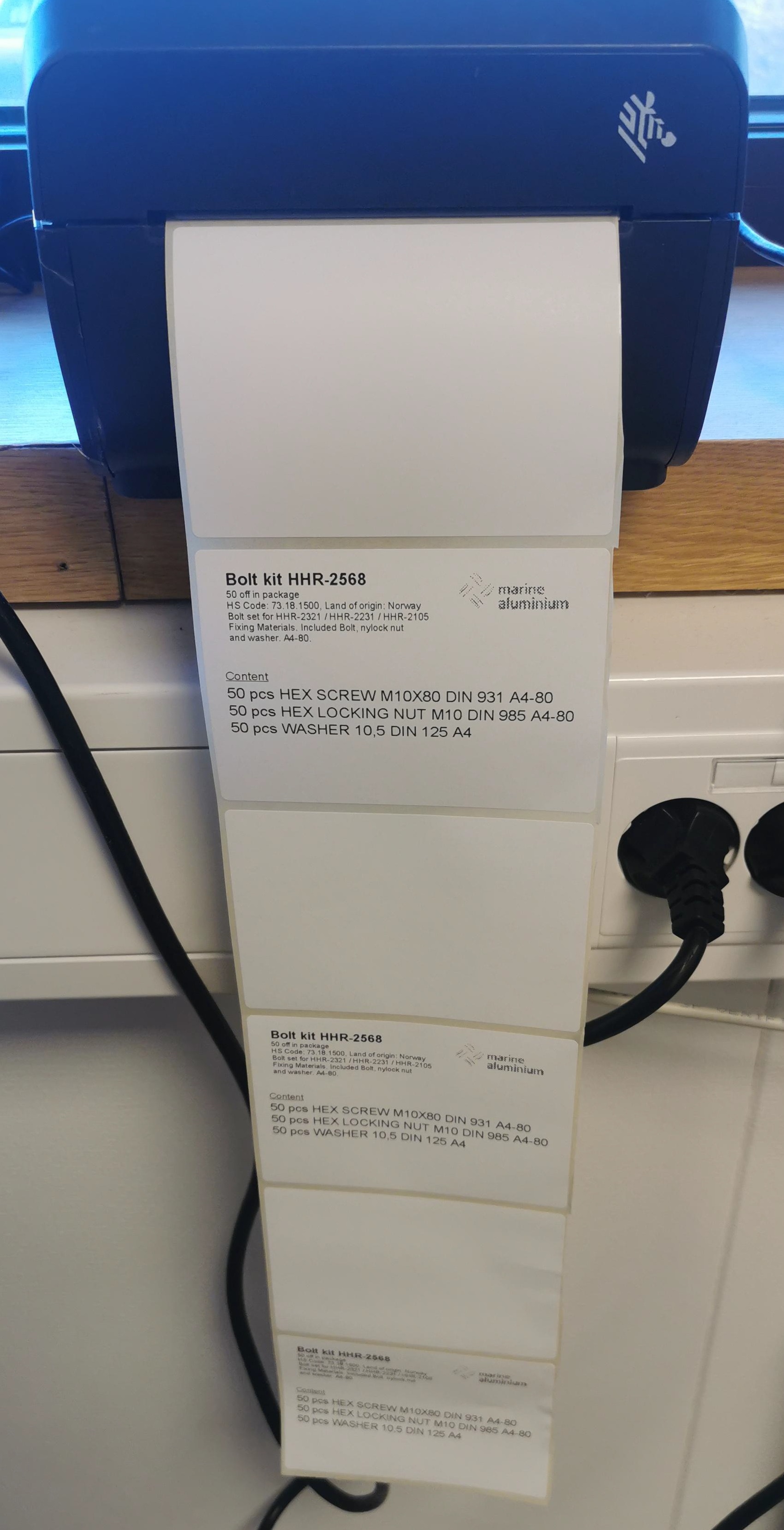
Our label printer Zebra ZD421 only print on every other label

We want to print on every label, but when starting a printing job only every other label comes out with print. Is this a setting that must be attended in the BarTender program or in the printer sttings. We have surced for a solution to fix this, but without anu success. Hope you can help!
-
If you turn the printer off and power it back on, once it is in the ready state, press the feed button. If only one label prints then the printer is correctly configured but if not the settings in the unit need changing, although the changes below may fix it.
I would suggest checking the label size is correct, where the page width is the width of the label plus the right and left gutter/backing paper whilst the page height is the height of the label itself ignoring the interlabel gap. The printer should also be set to Gap/Transmissive mode.
0

Bitte melden Sie sich an, um einen Kommentar zu hinterlassen.
Kommentare
1 Kommentar