serial port capture, send to label variable

I found this post and it gets me part way there. Very good info there.
But I'm finding that Integration Builder is pretty complex. I've made a very simple label in BT with a barcode tied to source named “serialNumber”. I've attached this label to an integration in IB.
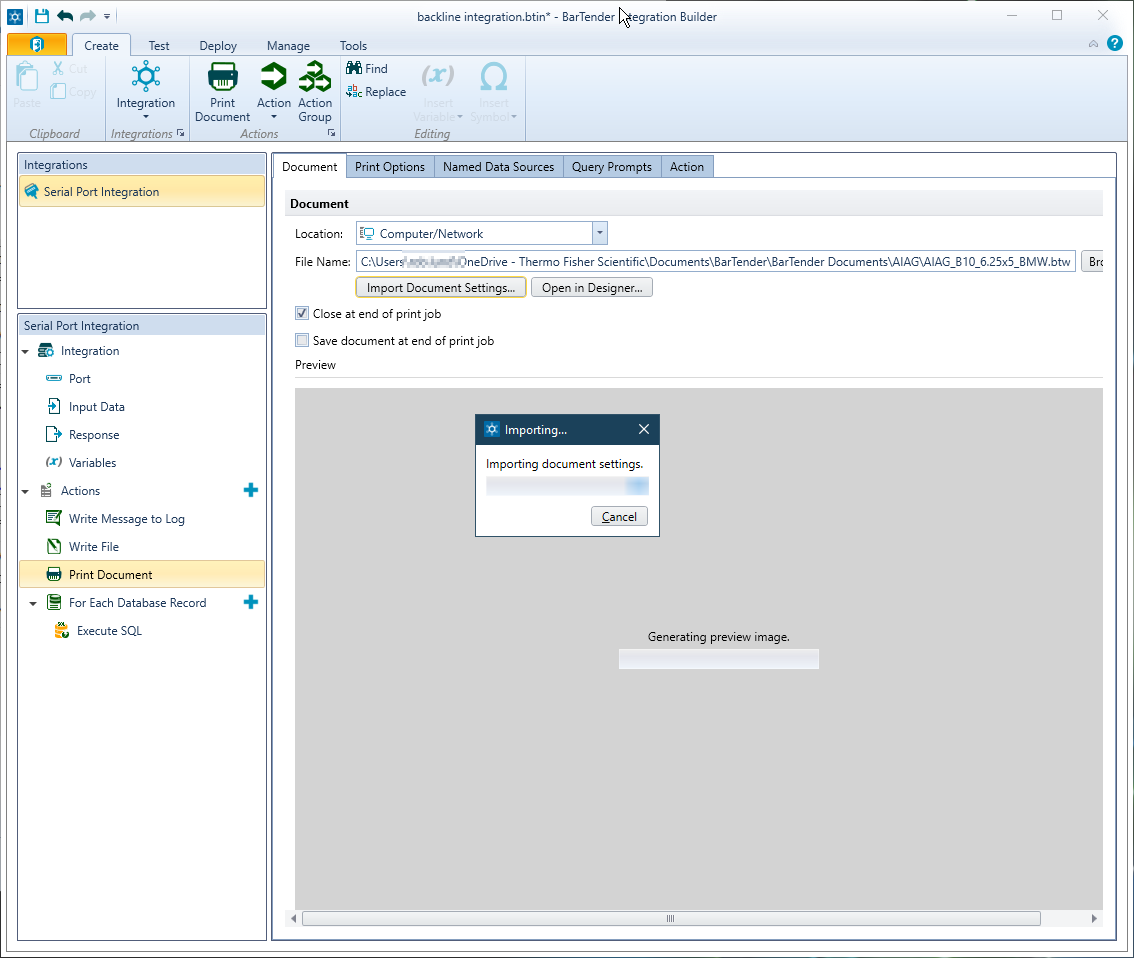
I have my integration built to look for my scanner comm port number, print the captured value to a file for debug, and then print the label after sending the value to BT. Much of these steps were self-explanatory except for tieing into the label. In the Print action, Document tab, selecting “Import Document Settings” times out.
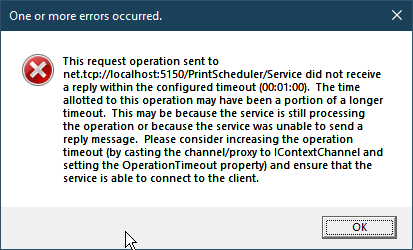
Attempting to run the integration in Test mode, I see that label final step error out. Here is the error message:
The 'basic label.btw' print job did not complete due to the following error: This request operation sent to net.tcp://{machine name}:5150/PrintScheduler/Service did not receive a reply within the configured timeout (00:01:00). The time allotted to this operation may have been a portion of a longer timeout. This may be because the service is still processing the operation or because the service was unable to send a reply message. Please consider increasing the operation timeout (by casting the channel/proxy to IContextChannel and setting the OperationTimeout property) and ensure that the service is able to connect to the client.
-
It sounds like you are trying to get the Integration to capture the image file and then print that on the label is that correct? If o I do not think that is possible for images.
This may work, although you could need to include a Wait into the loop to allow time for the file to be moved and saved and be ready to be ready to be printed. If you could have the image saved as a specified file name and picture type in a triggered folder and then have the integration trigger and move the image to a new folder. The label should be set to print that named image from the folder it is moved to. The integration could then be set to print the label (inc the picture) and you could include an Action in the label to delete the picture file after it has printed to prevent duplication.
0 -
Sorry, I should have been more clear. By “scanner” I mean a Zebra / Motorola barcode scanner. I know, I know, sounds like I'm going in circles with this one! 😂 But at this midway point on our production floor, we have one barcode label already on the unit when it arrives at the final label print station. Currently, the operator has to hand-key in the serial number they see to print the final label.
That step is very error prone, lacks adequate checking, etc. I would like to replace this with a code scanner to simply send the serial to the field in the label template for print.
Now what I have tested so far with IB is that I can connect to my Zebra. When I scan a code, I can have it send the captured port text data to file correctly. So about 50% of this is working!
The remaining is now sending that string to the label file, which is the error message I posted. There's a problem connecting to the BarTender template.
0 -
Okay, so you have an RS232 barcode scanner you need to use.
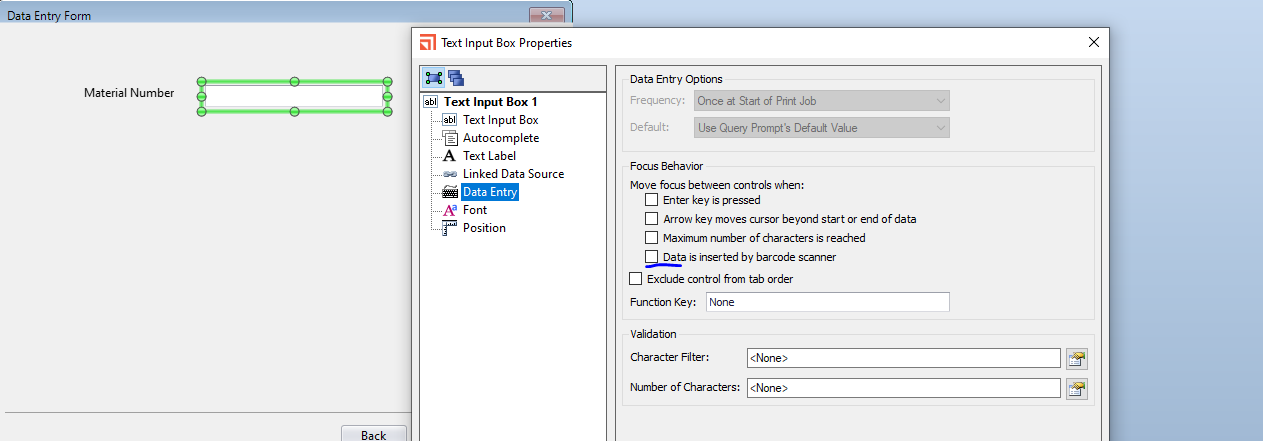
The simplest way would be to use an RS232 to USB adapter and add a text entry field on a Data Entry Form to this configured to link to the serial port on the label. There will be a tickbox in the Entry Box settings to say that the data is coming from a scanner.
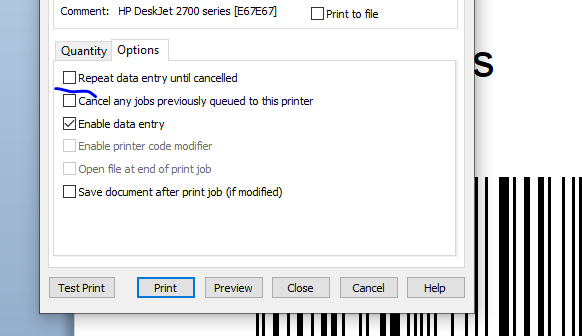
You should be able to configure the label to automatically print after the barcode has been scanned and if you print multiple labels one at a time, where the other data is all the same, other than the serial number, then there is an option on one of the print screens that will allow present the Data Entry form again as soon as a label has been printed so no other user input is required at that time.
 0
0

Bitte melden Sie sich an, um einen Kommentar zu hinterlassen.
Kommentare
3 Kommentare