Creating vCard from Database

Hello,
I am trying to generate a template of vCard QR code for our office employees from an Excel file. I saw the code for vCard but I am not sure how to incorporate the fields of Excel into the each line of code. I am also not sure what is the “Name” for mobile/cell phone in vCard standard?
-
Have you seen this support post?
Here are the Properties of the VCard label linked to the above.
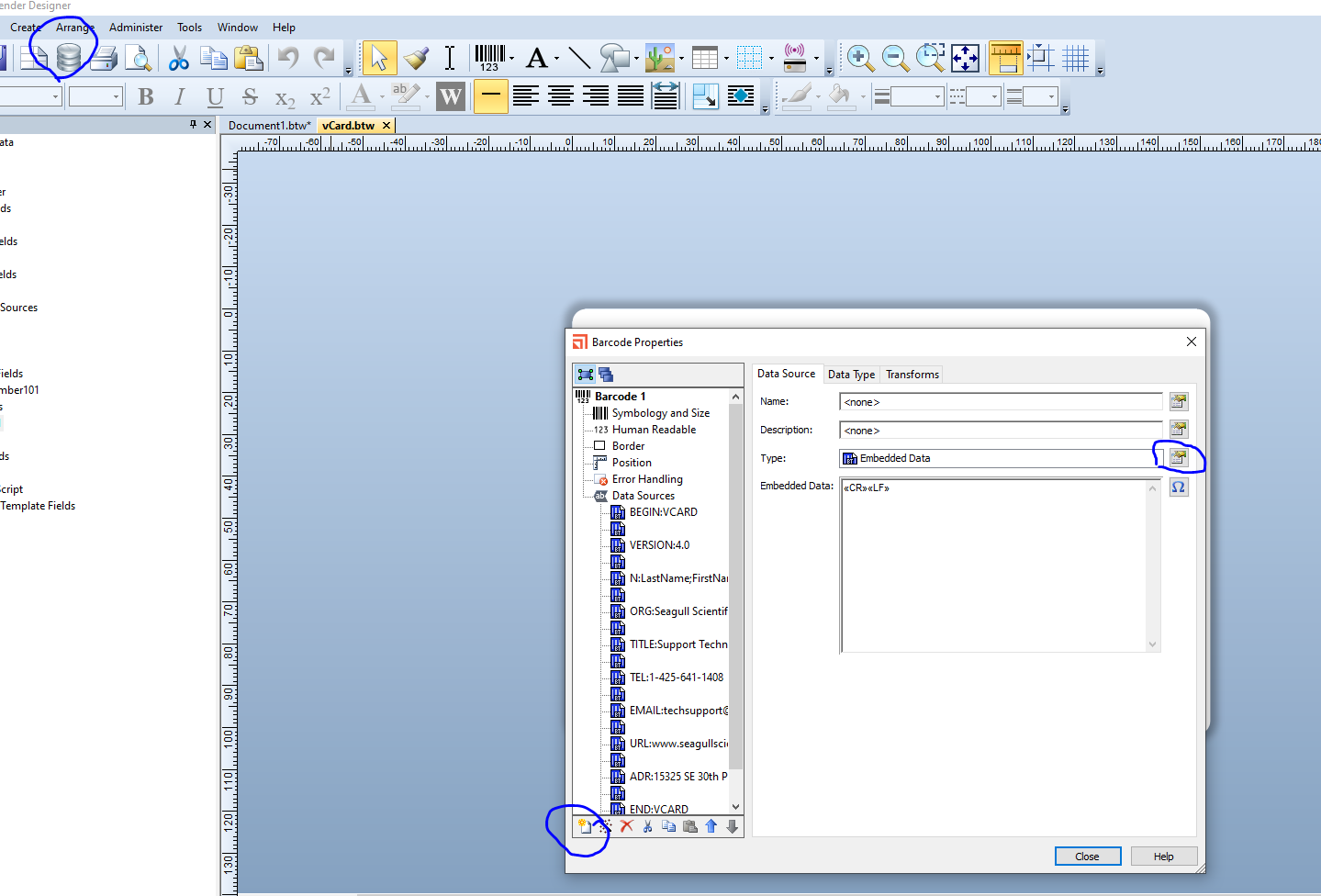
To link a label to a database you need to use the Database Connection Setup to achieve this (ringed to the top left of the above).
Once linked, when you go into the Properties and Data Sources of the QR code, you can add extra substrings to the symbol, using the button ringed at the bottom of the image above, and then specify what type of data is encoded, ie embedded/fixed data or a database etc.
Of you are using the above label, you would need to separate the header/title from each other adding extra substrings for each data, or you could just add a prefix from the Transforms menu for each database string.
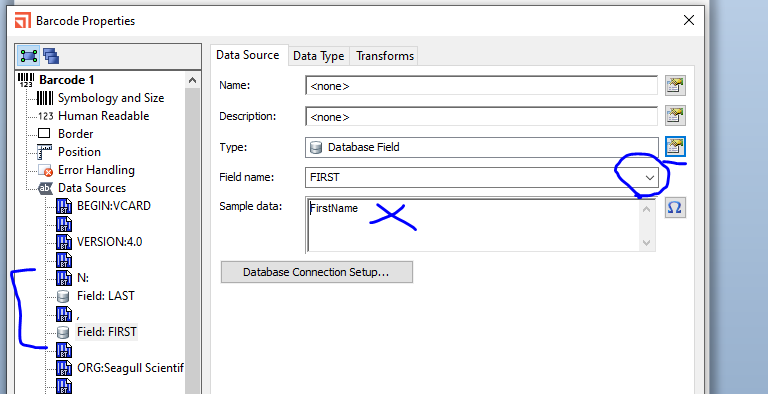
The image below shows the above label with the string for the name split in to the header (N:) and then the last and first name coming from a database with a comma added between each. Please note, it does not matter what is entered in the Sample Data box, as at print time this will be replaced by the information/live data from the database.
 0
0

Bitte melden Sie sich an, um einen Kommentar zu hinterlassen.
Kommentare
1 Kommentar