Error Handling if a field is a value

I feel like I'm close but can't quite get there. I'm using Automation. Trying to disable whole job print if some form field values haven't been filled in (have default values still, or are empty).
For some of these fields, it's easy to use the Error Handling settings on empty values.
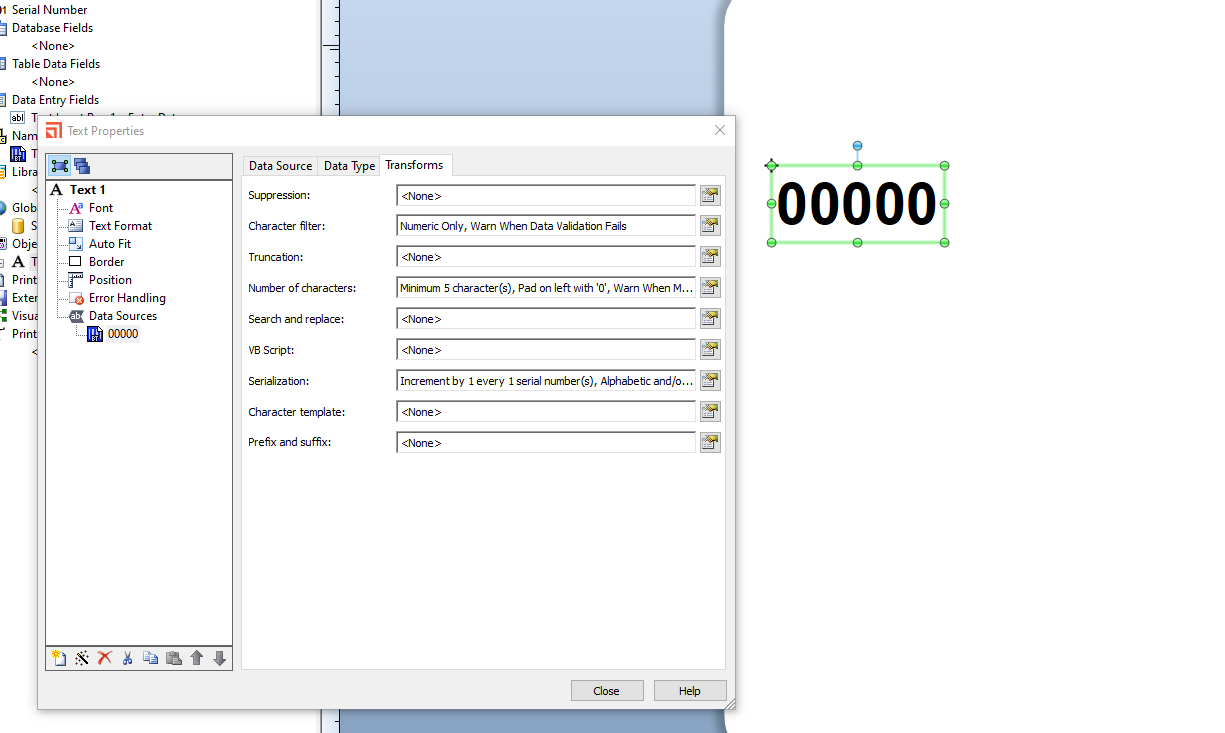
But for others, I have multiple data sources that make up the total field. For instance, I have one that has a prefix single digit value, set by VBScript based on the value of another field (drop down). Next is a 5-digit min/max, padded left with 0s. As such, it shows up as “00000” by default with padding.
If the user forgets to enter a value, the label prints with a “S00000” for instance for serial number. I need to throw error if the SerialNumberDigits = “00000”.
I tried setting VBScript into the OnPrintJobStart, and this kind of works but is clunky. I can still get to the print dialog if I click Cancel. I.e., it's not foolproof.
It would seem to me that I'm missing an easier setting.
-
1. In the Transforms you could set a requirement that the users enter a minimum number of characters before they can proceed:
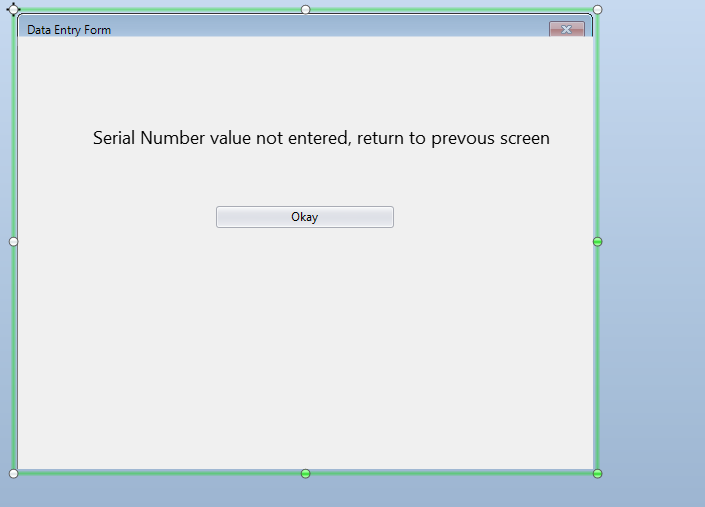
2. Alternatively, if you make the entry and named field and also rename the form to, for example “BaseForm” you could then add a 2nd data entry form that only displays when the value entered is less than 1, for example, and on the form, remove the standard buttons but add a button that when clicked just returns you back to the original entry form, such as:
 0
0

Bitte melden Sie sich an, um einen Kommentar zu hinterlassen.
Kommentare
1 Kommentar