Multiple Barcode in one Label

Hello
I am creating a label for master carton. I need to place 20 barcodes in 1 label. Serial number database excel is same for all barcode.
For example:
001 to 019 — These barcodes are needed 1 in label
020 to 039 — These barcodes are needed in the next label.. so on and so forth.
I am not able connect the database so as to 001, 002, 003 … 019 is loaded in 1 label one after the other.
My layout would be 2 column.
Thanks in advance for any suggestions / help on this.
-
Look at the Records per Item setting in the Database Connection Setup as that will allow you to add multiple records onto the same label
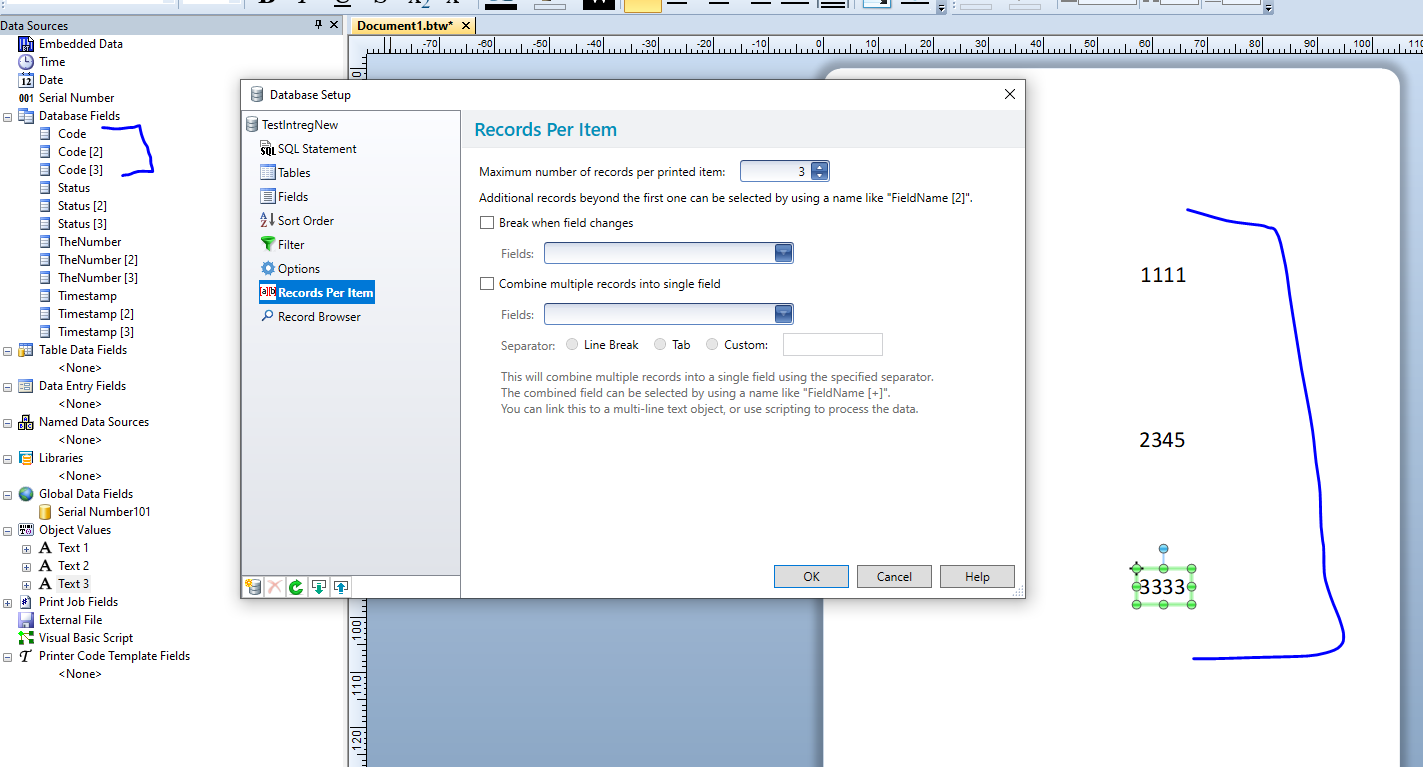
Or else in the Page Setup you could enable a Page template and create that the size of your full label adding rows and columns onto it to add in your smaller product info parts
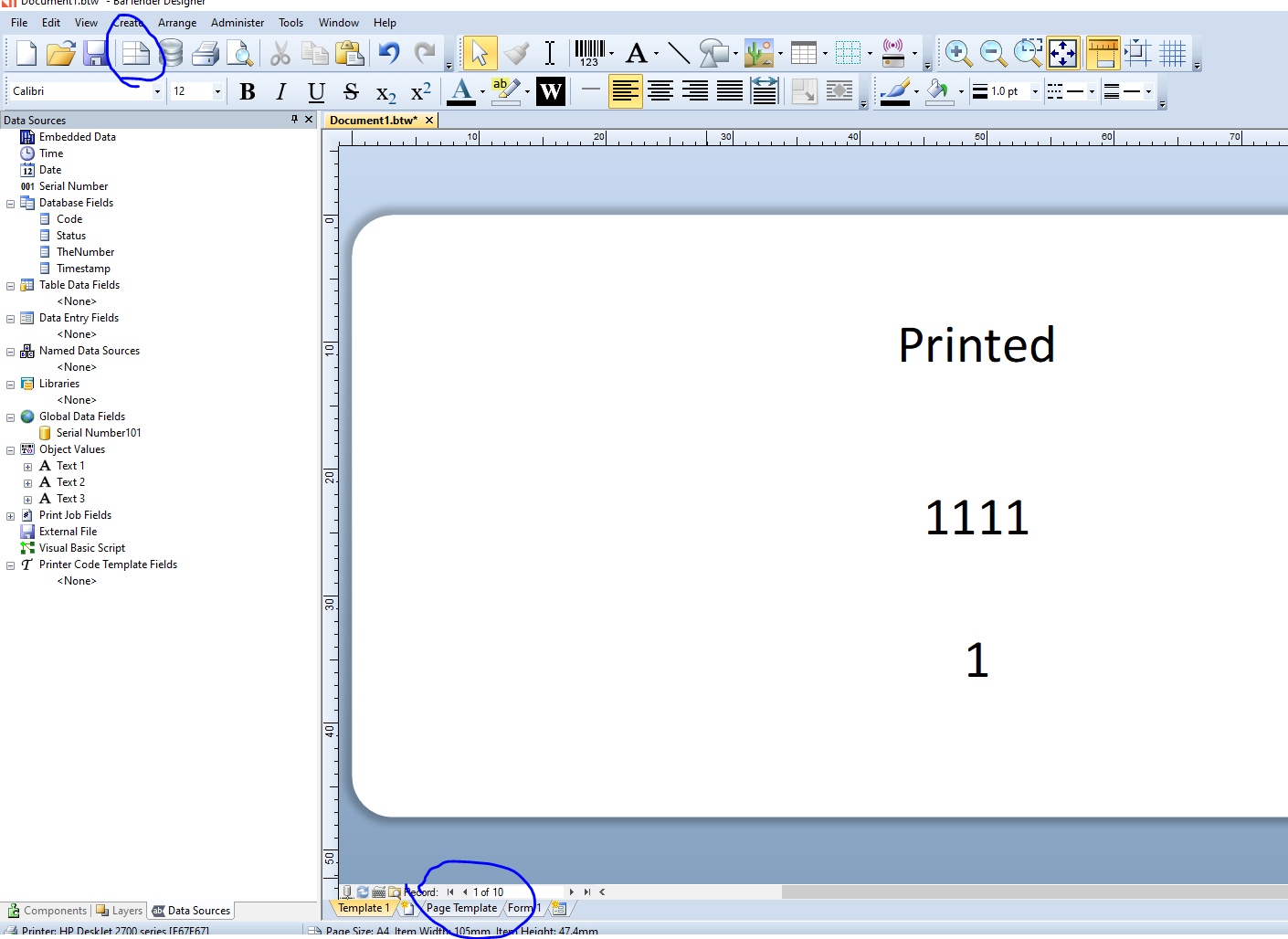
At print time with 2 columns and 5 rows the full label would look like the image below with 10 records shown on it
0

Bitte melden Sie sich an, um einen Kommentar zu hinterlassen.
Kommentare
1 Kommentar