Way to link one Text Input Box to two different Embedded Data source?

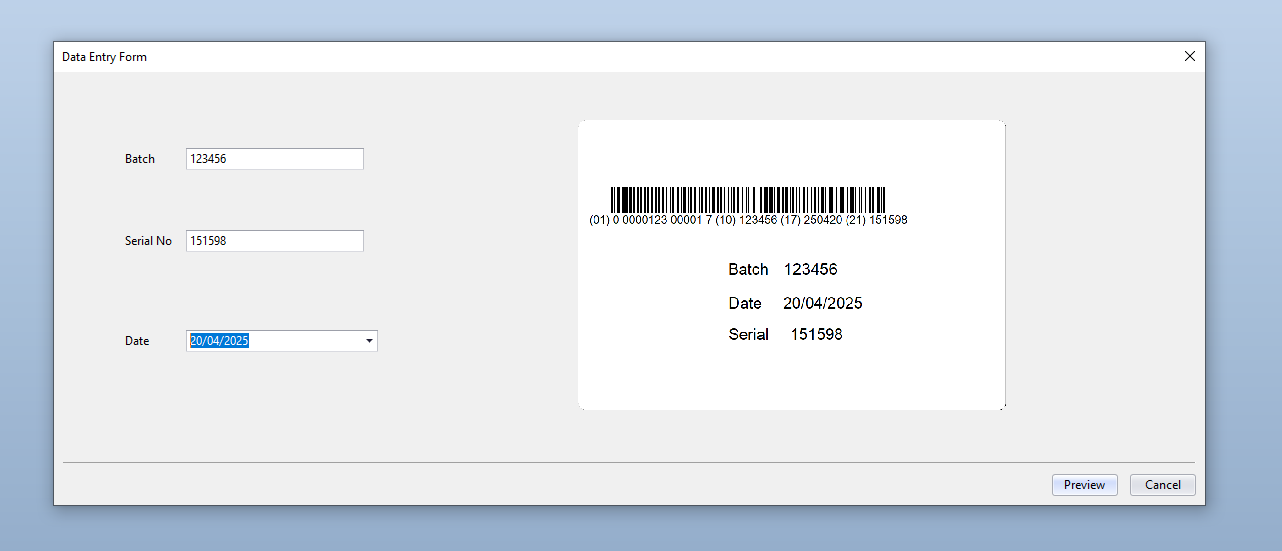
I currently have a Bartender file with two different templates. Each template contains a GS1 barcode with the same AI contents (01, 10, 17, 21) but different human readable. AI 10, 17, 21 are all manually entered in a input text box under Form. When I try to link the same data source for both GS1 barcode, the human readable seems to break. Adding it's own input text box for each AI does seem to fix the human readability issue but I want to avoid the mistake of typing a typo for the duplicated input text box since the contents for each GS1 barcode are them so is there a way to link one input text box to two different sources?
-
You cant link two Data Sources to the same input box directly, you need to link one of the strings to the input box and then link the label field to the 2nd field.
There are a few ways to achieve this and the simplest would be by making them both Named fields and the other by using the Object Value string type.
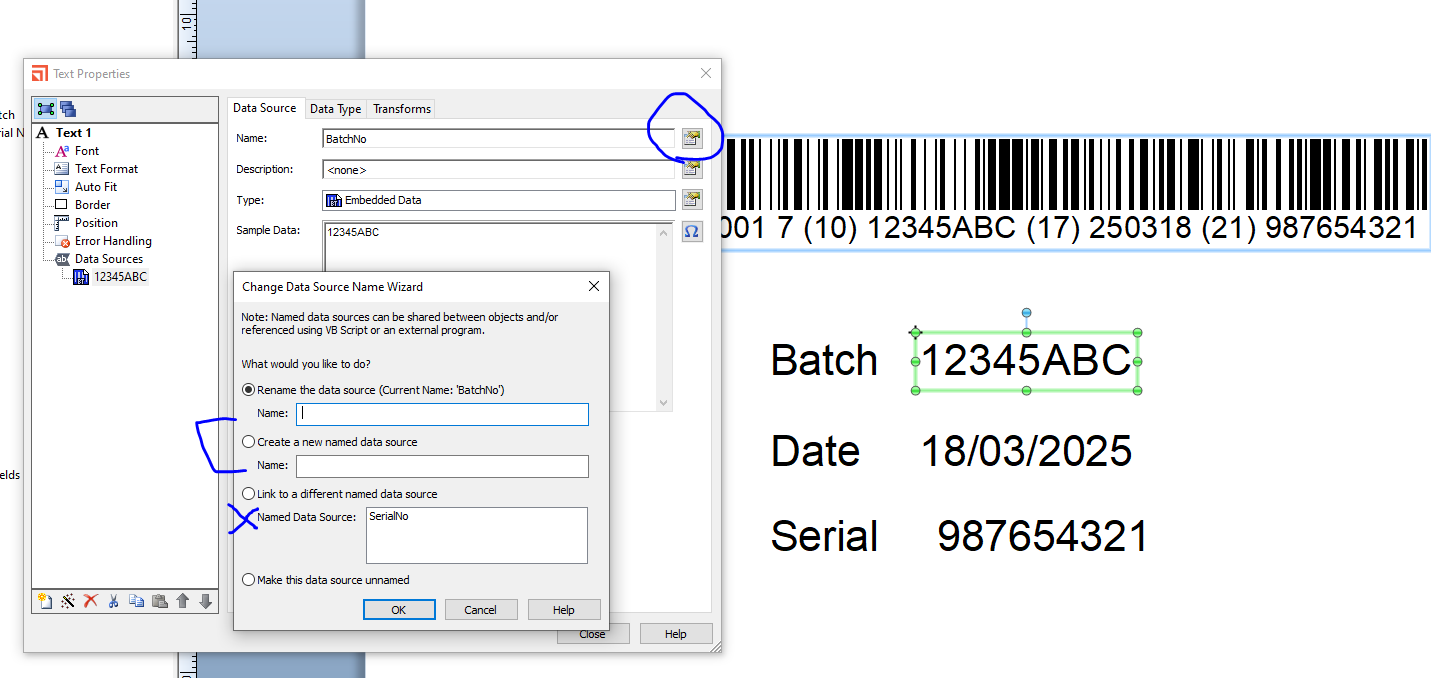
For the 1st option you would need to go into the properties of the field and use the Change Data Source Name button to give the first field a name. Then for the second field use the same button in the field and select the name you chose from the list to link them together.
The only issue with this is that the will match one another and so if you use Transforms on one field (eg to discard the last character for example) then this will also transform the second field too. In most instances this will not be an option but with dates this can be problematic as in the GS1 barcodes they need to be displayed in YYMMMDD format whilst in text objects they are usually displayed in a different order and often with separators.
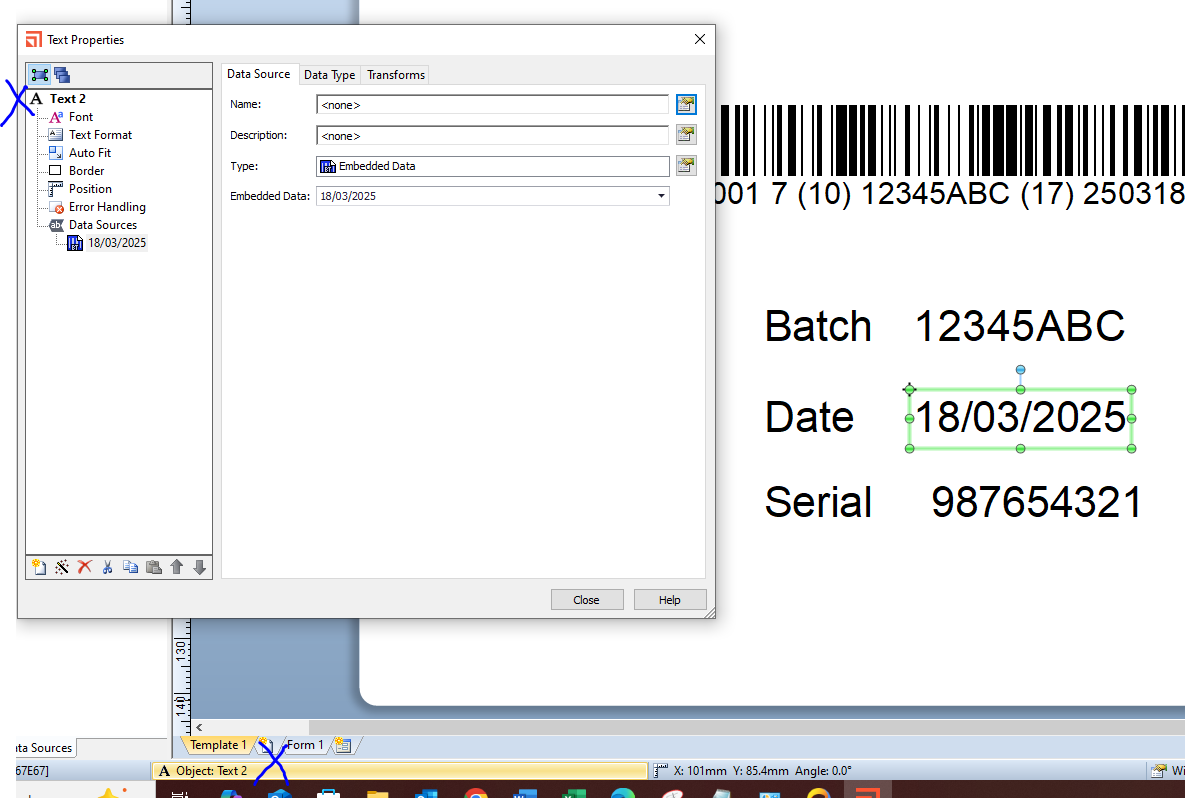
In such instances it is then better to use the Object Value method to link them. For this add the text item date object to the label first in the format how you want it displayed and make sure to make a note of the Object Name, eg Text 2 as on the image below:
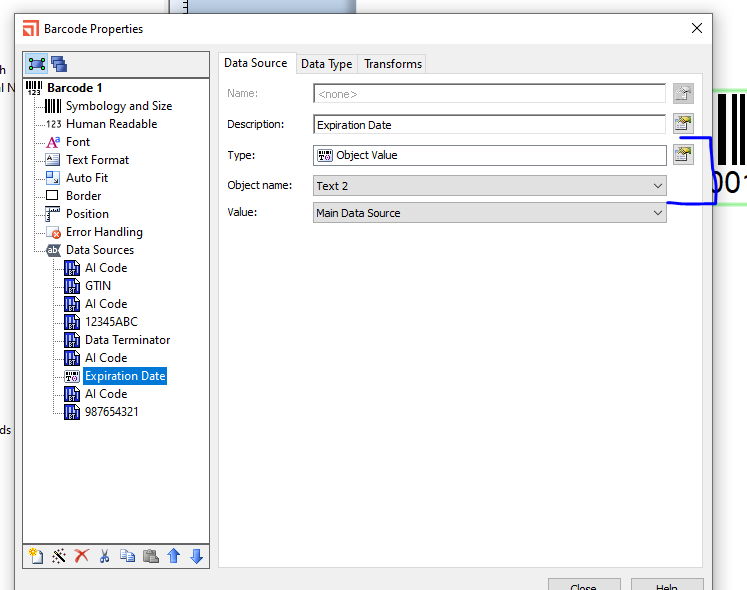
To link this in the barcode, select the date substring and adjust the Type to Object Value and then select the correct object to link the strings together
 0
0

Bitte melden Sie sich an, um einen Kommentar zu hinterlassen.
Kommentare
1 Kommentar