same fonts are printing differently on different printer

Hi,
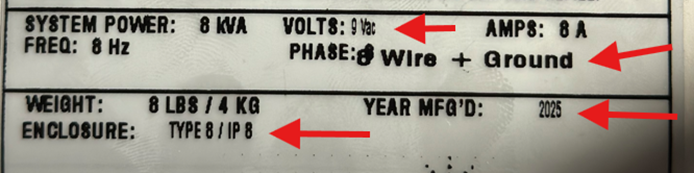
I have two ZT610 printers and created a template on Bartender 2019 using "Zebra 0" fonts. When I print the label on one printer, it works fine. However, when I print the same template on the other ZT610 printer with the same settings, some fonts appear squished.
example of the label that's not working:
Example of same template on similar printer:
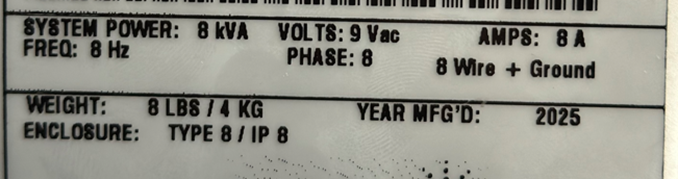
-
Are you using the ZDesigner or Seagull drivers?
I have seen something similar at a customer's site where one of the embedded fonts on one printer did not seem to be working correctly no matter what we did (factory reset, flashing new firmware, creating output from a working printer and sending it to other etc) . Every other machine worked correctly but this unit didn't. In the end we just changed the font on the label to something different and got round it that way as that was a simpler fix than spending more time trying to work out what the actual issue was
0 -
Hi Dhara,
I would try using a True Type or Open Type font such as Arial and seeing if you run into the same issue. If the two printers are a different DPI you may have to modify the size of the text objects to account for the slight variation in font size when printing between the two.
0


Bitte melden Sie sich an, um einen Kommentar zu hinterlassen.
Kommentare
2 Kommentare