Print Job field - Page number -1

Hello Bartender Support Team,
I'm pretty new with Bartender.
Is any way to decrease the Print Job field (Page Number) on label ?
I need scenario:
if print 4 lables - right low corner on each - 0 of4, 1 of4, 2 of4, 3 of4 and 4 of 4
I am sending extra zero label using Tulip Bartender integration which is working fine. Just need to show 0 label using Print Job field (page number).
If I use a Visual basic script field in the template as an option decreasing the Print job field label number I get a Type mismatch error (data types are set as Text or Number but the error is the same).
Thanks!
Gabriel

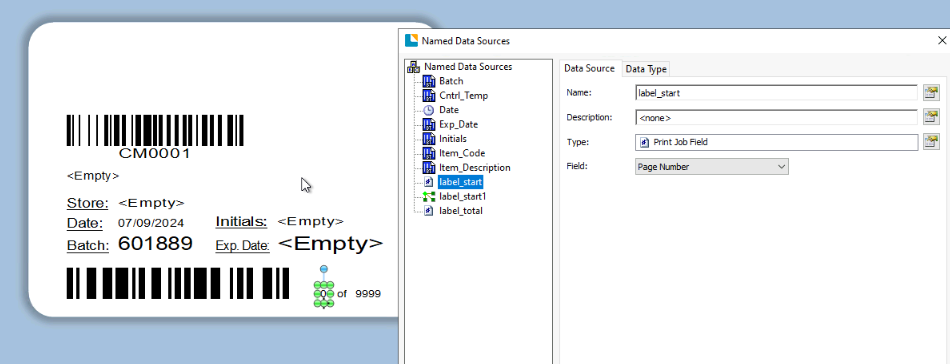
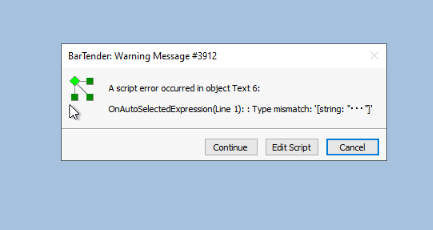
-
I do not believe you can adjust the Print Job Field Page Number but you could add your own counter onto the label instead the increments each page and you could have that resetting to 0 rather than 1 at the start of each job
0

Bitte melden Sie sich an, um einen Kommentar zu hinterlassen.
Kommentare
1 Kommentar