Print all serial numbers on a single label/paper

Hoping someone can point me in the direction of how to share multiple sequential serial numbers between documents.
I am using Serialization Transform in a BT document to generate serial numbers for labels. The user enters the quantity of numbers needed on the data entry form. This works fine, the numbers increment properly and the labels print.
As a secondary step, I would like to print all of the serial numbers on a single sheet of paper on a different printer after the initial serial labels are printed.
I set-up a second document with a page template that will print all the numbers, but I don't know how to pass all of the serial numbers from the first document to the second document.
I have tried a variety of ways with actions in the template and Process Builder, but not knowing how to save multiple values and use them in another document is my issue.
Any advice would be appreciated.
-
It sounds like all you actually need to log is the starting sequential number and the total number of labels in the run. You could then use those two values to link to the fields on your other label where the starting number value logged is the sequential number and the label count is linked to the number of serialised labels.
To do this you would need to
- Make your Starting Number field on your label a Named Data Source and do the same for your Number of Labels
- Next create some Actions on your Data Entry Form.
- Action1 would to write out the value of the above two named fields to a text file including a comma in between each piece of data
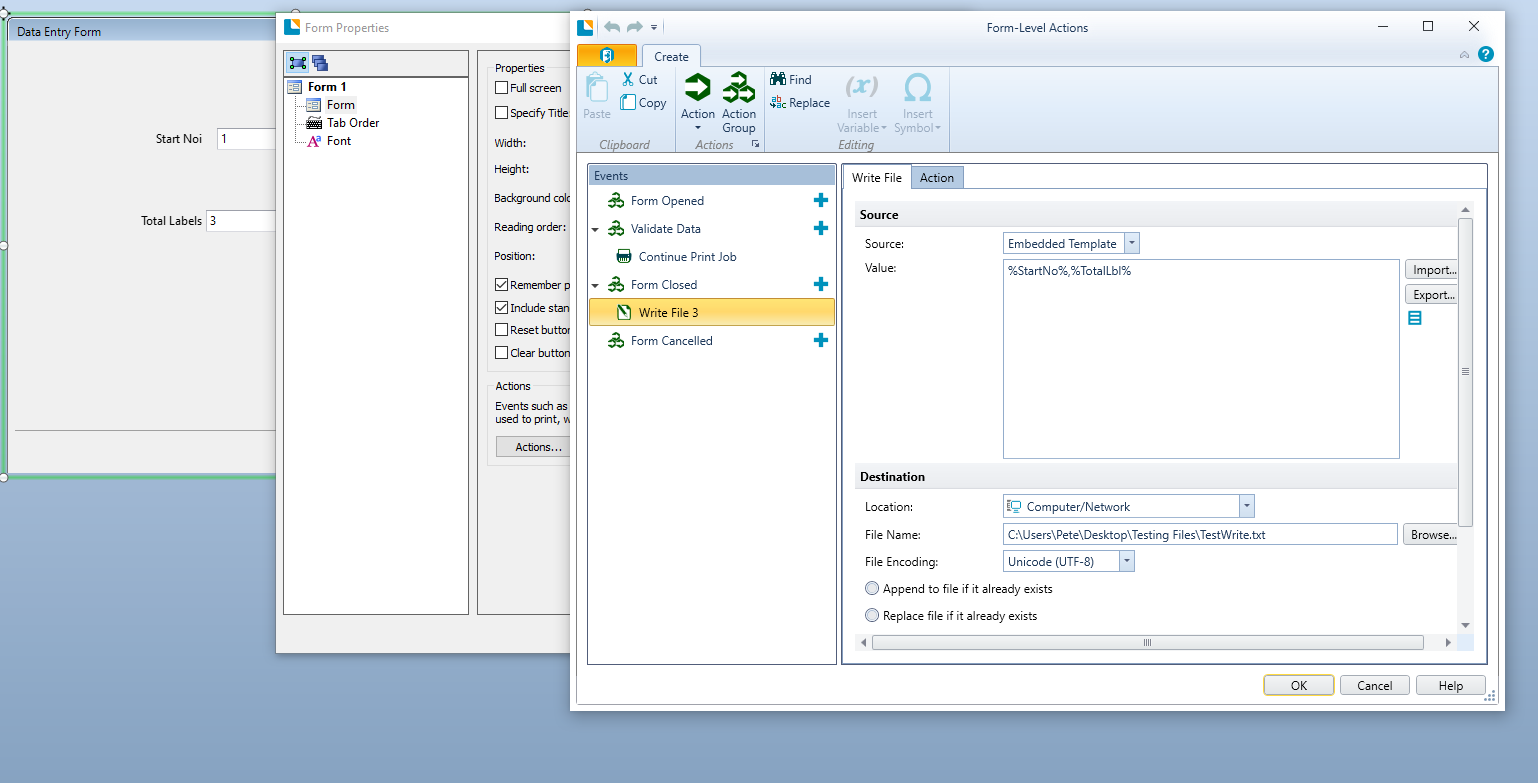
- The second action would a simple Print Document command to print the other label.

For your second label you would need to link that to the output file from label 1 as the database linking the number of labels to the File>Print>Serial Numbers input (see 2nd image below) and your sequential field should be linked to the first field in the database to get the starting value of the run.


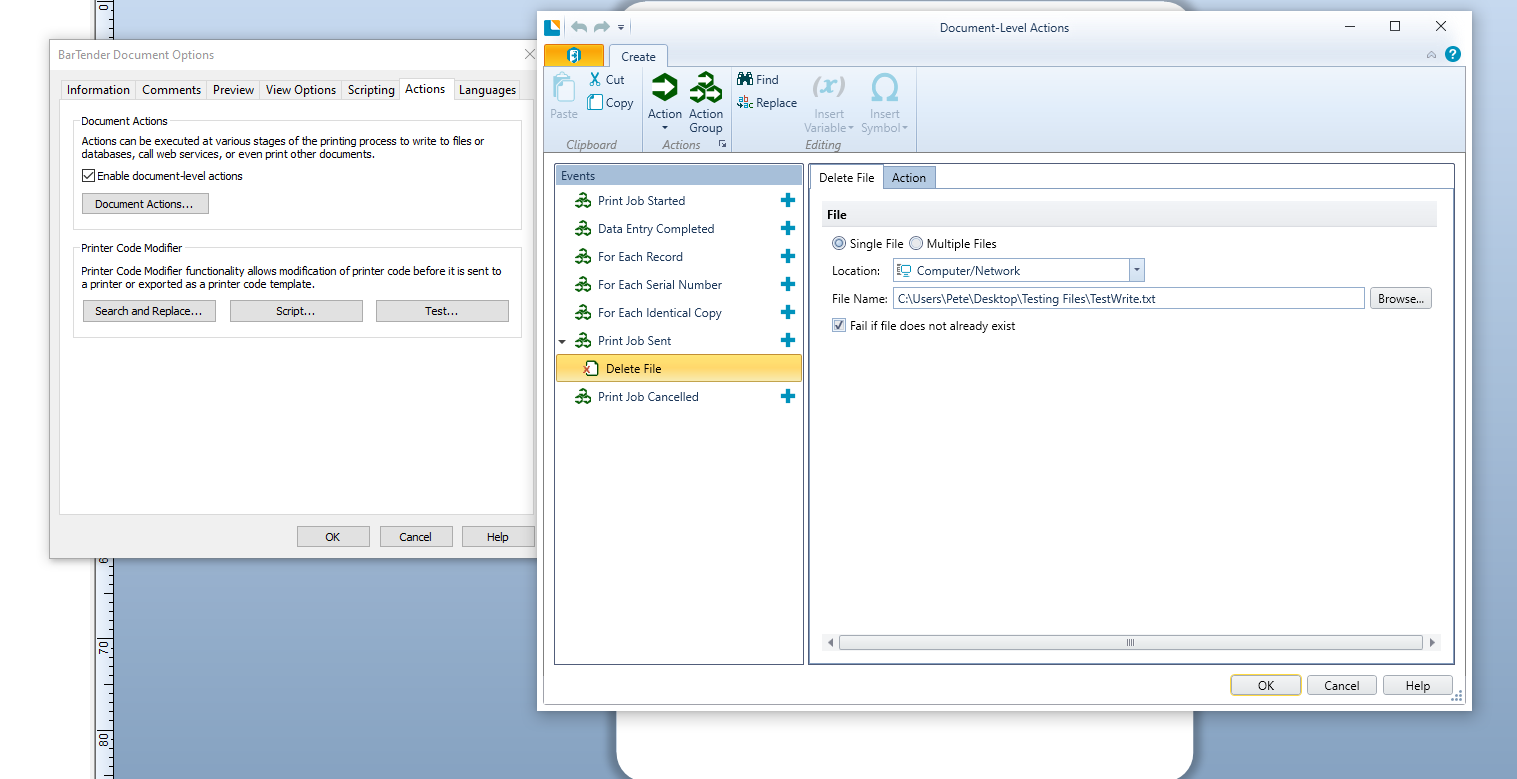
You will also need to add a Document Level Action (from the File>BarTender Document Options screens) to delete the database once this label has been printed
 0
0 -
Thanks so much for these detailed instructions, I was able to get this to work.
Kendra
0

Bitte melden Sie sich an, um einen Kommentar zu hinterlassen.
Kommentare
2 Kommentare