Print Multiple Job with same Template based on Input Value

Hi, appreciate if someone can guide me suitable approach I can use. My case, I have 1 template like below. 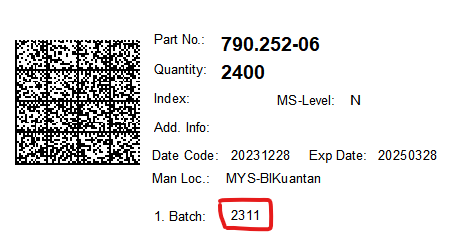 During print the template, it will ask value for Batch No.
My requirement:
1) I will manually input Batch 1, Batch 2 or Batch 3 depends how many batch it has;
2) then it will print the Template. If I input 3 batch, it will continuously print 3 templates (for batch 1, batch 2 and batch 3 respectively)
Any idea how I can achieve this? I am looking at Layers before this but cannot see it is possible.
Many thanks.
-
Rather than layers, use extra Templates from here:
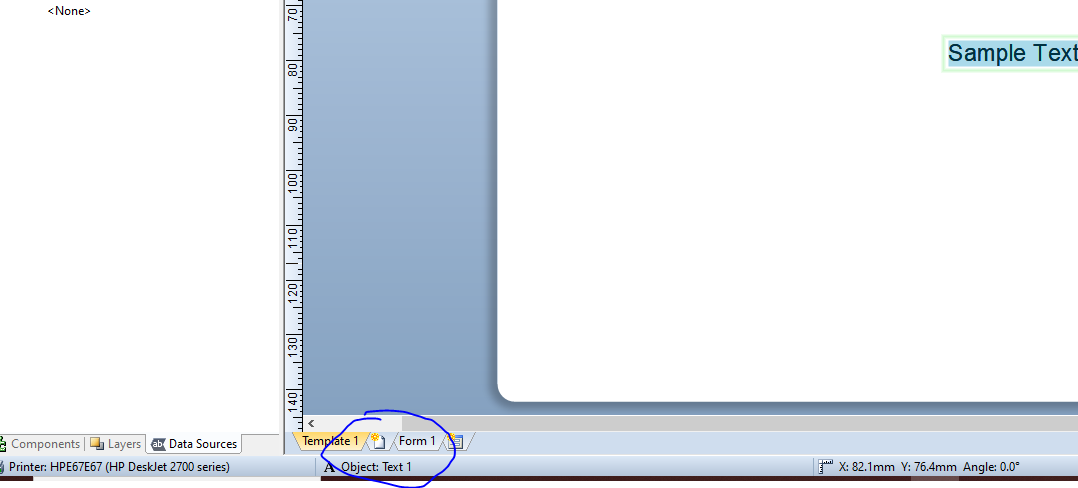
- Then copy and paste your existing format onto each of the new templates
- Next give each of the batch fields on your templates a Name to make them a Named Data Source
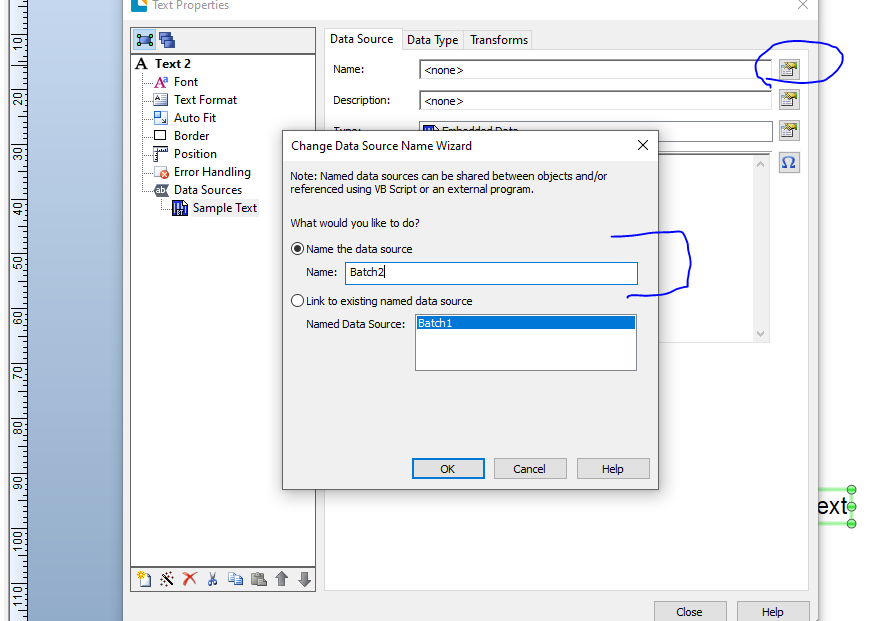
- On your Data Entry form link each of the entry boxes to the respective batch number fields.
- Back on the Template view either right click on the Template2 and after the Template3 tab or else open the Page Setup screen and go to Templates.
- Leave Template1 as it is but click on Template2 and adjust the Print When option to print when Batch2 is not empty then adjust Tempate3 to the similar but for the Batch3 field
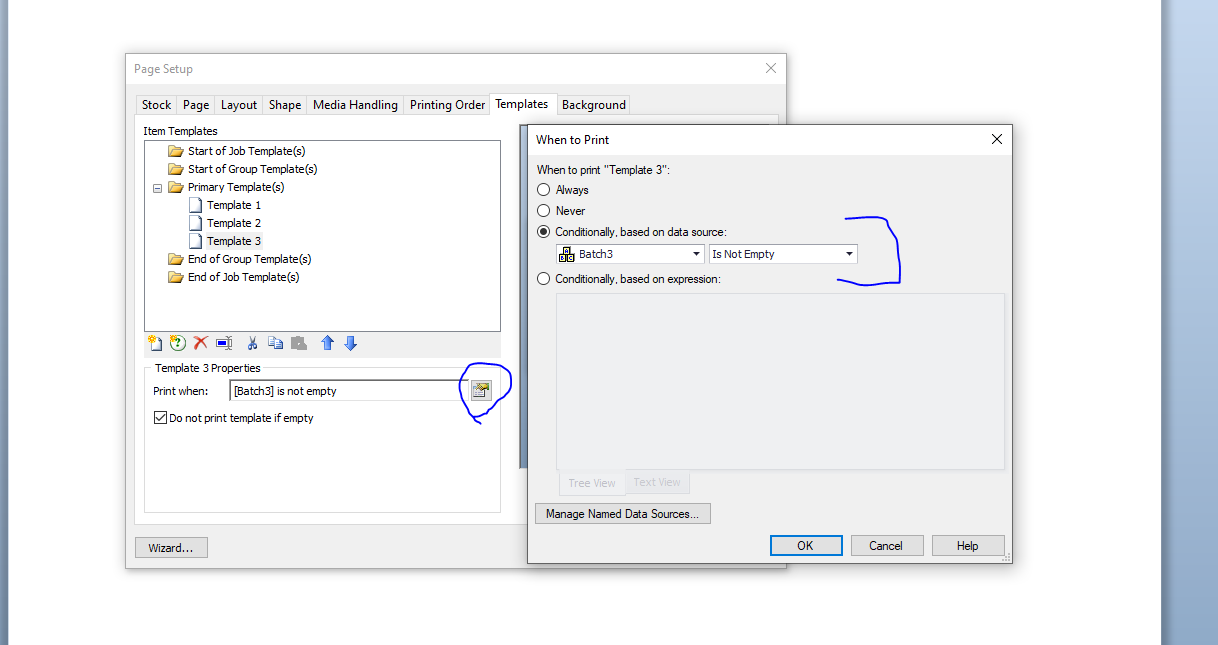
Note: I used 3 different label layouts to make the differences clearer in the images below but will all 3 batch codes entered I get this:
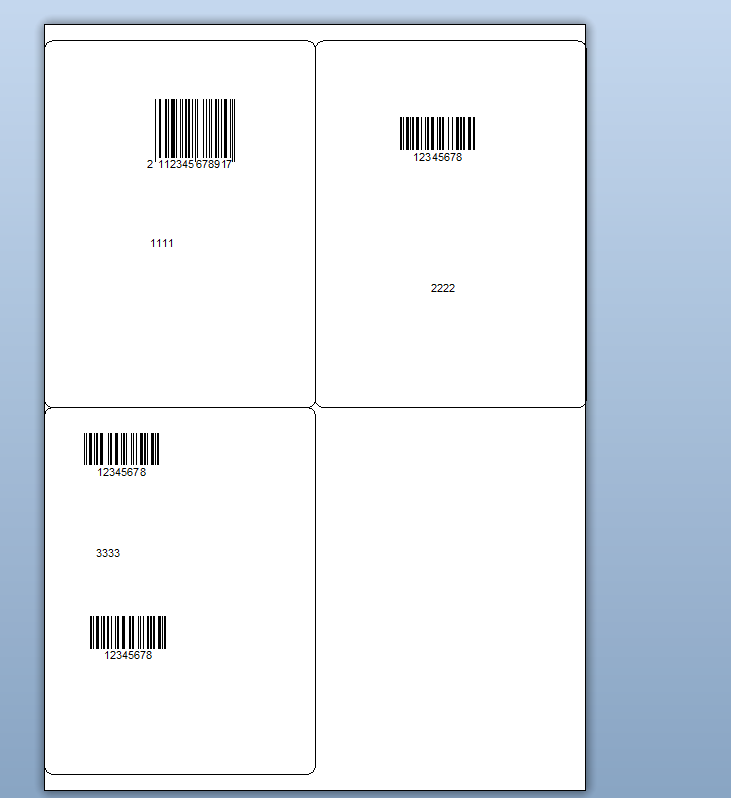
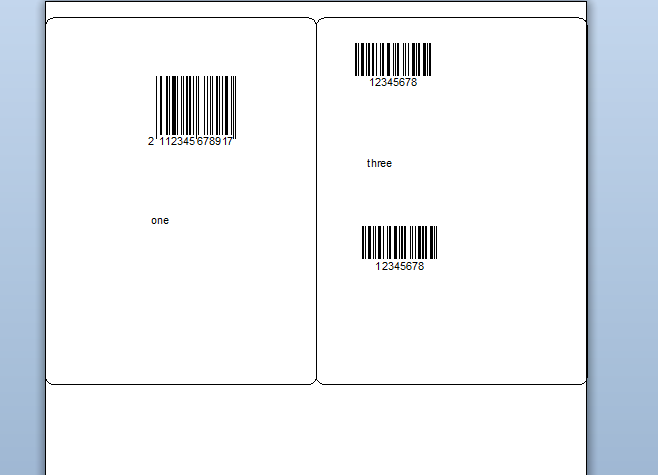
Whilst with just an entry for 1 and 3 I get this
 0
0

Bitte melden Sie sich an, um einen Kommentar zu hinterlassen.
Kommentare
1 Kommentar