How to access Object Values for document-level actions?

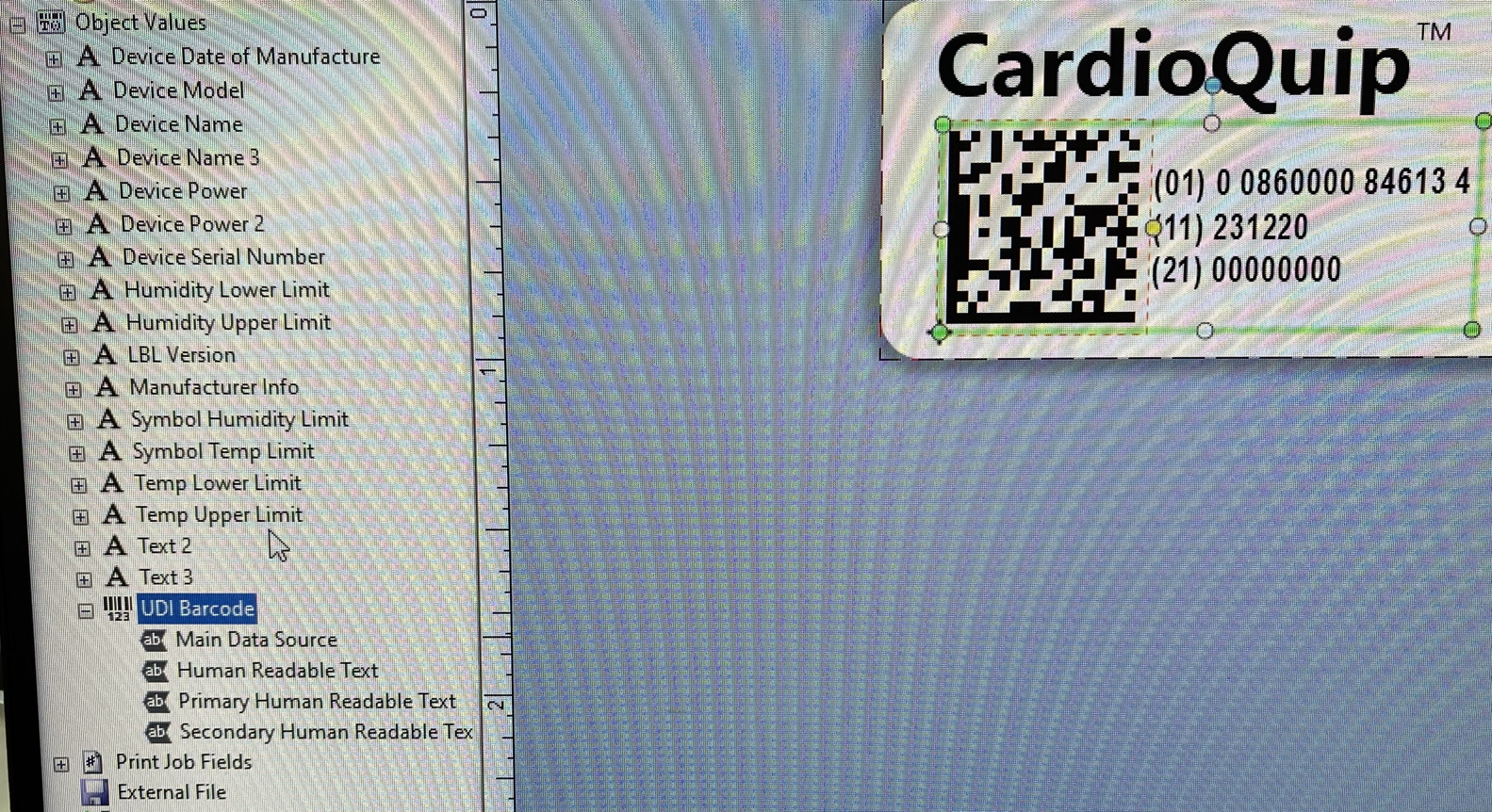
I am creating a document-level action that will create a record in an ODBC data source whenever a label is printed. The data that needs to be written is a UDI text string, which in the document is an Object Value that is used to create both human-readable and barcode elements on the label. How do I make this accessible as a data string for the document-level action?
-
 0
0 -
I thought I found the answer here: https://support.seagullscientific.com/hc/en-us/articles/205824818-Overview-of-Data-Sources-Video-5-16-
In that video, she is able to choose an "Object Value" as a Data Source type. But that option doesn't appear in my lists.
I was able to create a Named Data Source using a VB Script, and it is able to pull in the UDI barcode value; however, it is pulling in the default value prior to user entry. I need it to pull the value post-user-entry, which is what is being sent to the printer. I've tried changing when the Document Action occurs, tried changing the VBScript to an Event Control at various times, nothing works.
0 -
The trick is to set up the Named Data Source using a VB Script, making it a Single-Line Expression:
Format.Objects("UDI Barcode").Value
I called the Named Data Source "UDI" in this case.
Then set up a Document Action under "For Each Record" to Insert Database Record, and use %UDI% as the value entered in whatever field it needs to go into.
0 -
One catch: This does not properly pull the check digit for the GTIN portion of the UDI label...so the full UDI string should be 34 digits (as printed on the label) but the string returned by the VB Script is only 33.
Opened a new post for this issue, as it's only pertinent if you have a GTIN.
https://support.seagullscientific.com/hc/en-us/community/posts/20148237222295-UDI-text-string-on-label-vs-VBScript-does-not-match0 -
See reply on your other forum post
0 -
I've found a good workaround, but my update posts are still "pending approval" so it can't be seen. :P
0

Bitte melden Sie sich an, um einen Kommentar zu hinterlassen.
Kommentare
6 Kommentare