Bartender 2019 Custom date field flipping Month & Day for Oct, Nov and Dec and days that match those months

we have a customer experiencing the month and date getting reversed
Ex. Oct 12 2023
Should be 10/12/2023
but appearing on label as 12/10/2023
this happens for Oct 10,11 and 12
this happens for Nov 11 & 12
the system does not understand which is the month and date and reverses it.
is this resolved in a newer version of Bartender
any support is appreciated
-
Hello Scott,
Welcome to the BarTender Community! The date format seems to be the issue here, is your client based in Europe or using a version of our software with European settings?
You can change these settings by right-clicking on the field you want to change, then selecting "Properties", navigating to the Data Type tab, and selecting the format which your client prefers: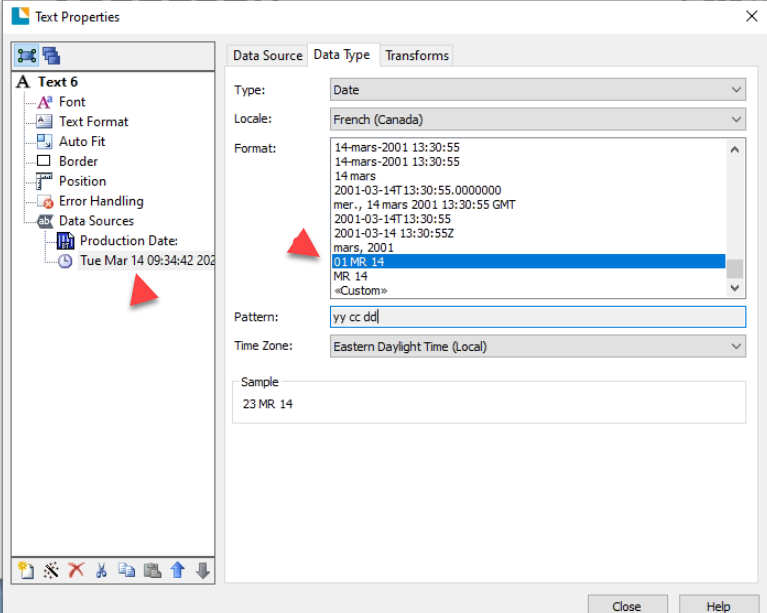
Let us know if there is anything else we can do you for!0 -
Hi Xabier
we are passing the production date to bartender as a variable from our labeling application. Bartender is the engine.
if we pass Nov 12 2023 as 11-12-2023 Bartender misinterprets this as 12-11-2023, its only does it for Oct 11th, oct 12th & Nov 12th.
for the remainder of the months and days its correct
0 -
Hi,
I have the same issue.
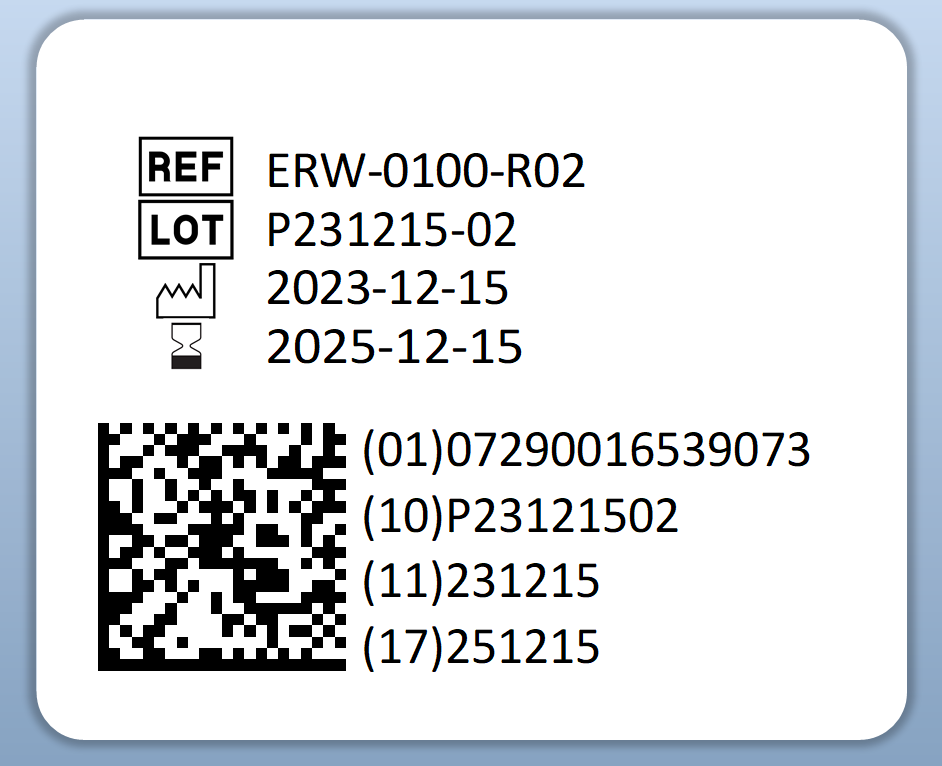
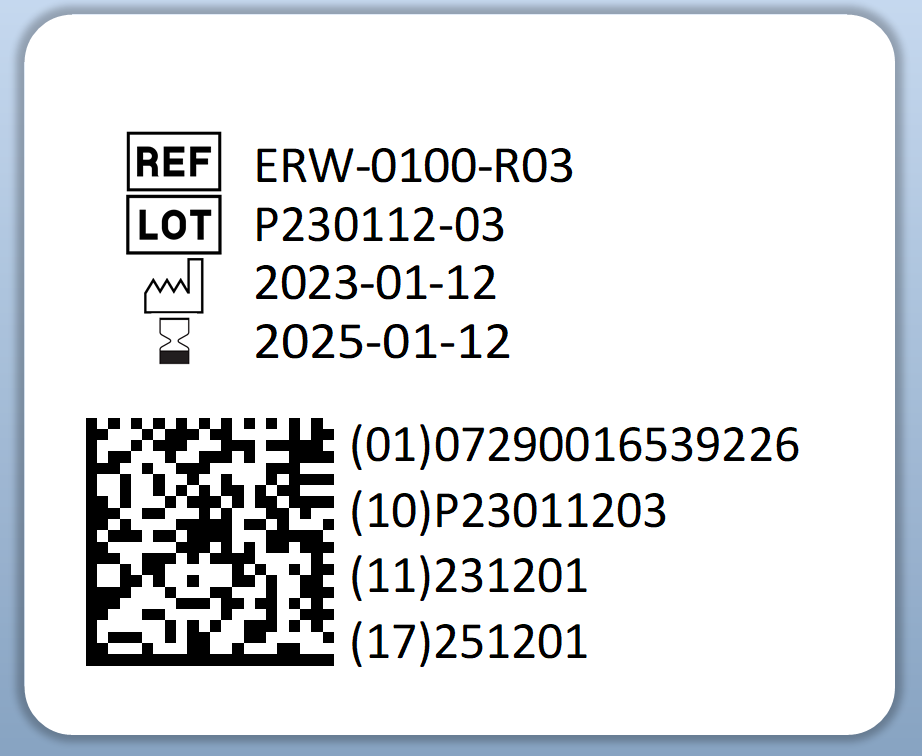
I'm using Excel worksheet as a database and when entering different dates to the same cell (database field) in excel, the Datamatrix feature of Bartender sometimes identify the day and month in the wrong way and flipping it. See images below.
Correct date Dec 15th:
Flipped date Dec 01st instead of Jan 12th:
How to solve this?
0 -
Not come across this although if this was a known issue then there could have been a bug fix to get round this since your release of 2019.
You could try making the DataMatrix date source the text date field rather than directly from the Excel sheet.
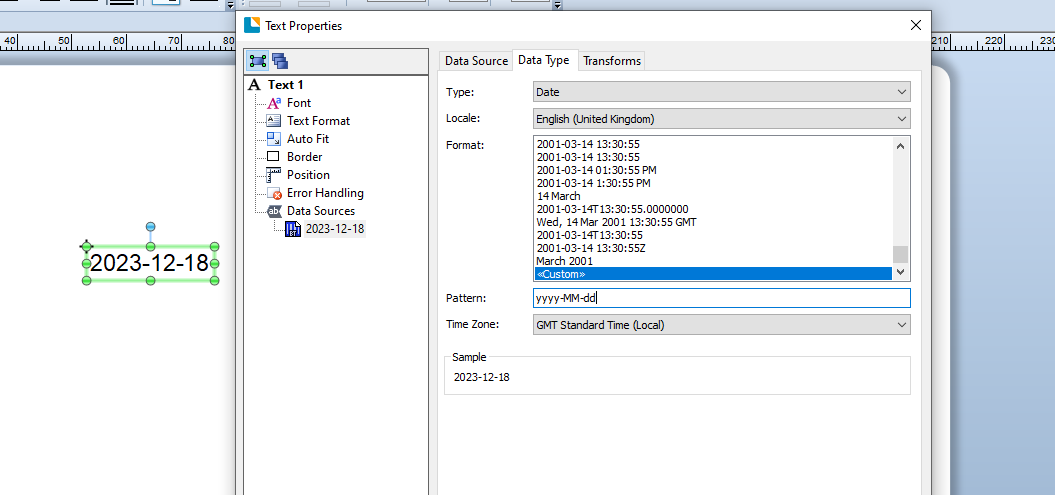
Make sure the text fields are set as Data Type to Date and the pattern as yyyy-MM-dd (via the Custom option) first and (noting the field Object Name such as Text1 in my image below) for the DataMatrix symbol set the Type to Object Value and liking it to the appropriate Text item. Again you would need to adjust the Data Type date pattern but this time to yyMMdd.
 0
0 -
Thanks, this workaround seems to work.
0


Bitte melden Sie sich an, um einen Kommentar zu hinterlassen.
Kommentare
5 Kommentare