Different quantity on the last page

Hi, I regularly have this particular issue. We use bartender to print box labels. I have various excel spreadsheets which are connected to label templates. Often the quantity of items in a box has to appear on the label. In the excel file there will normally be (e.g.) field A for the number of items in a box and field B which calculates the quantity for the final box (which is inevitably a part box).
I have been unable to figure out a way to do this in a single template in Bartender. I currently have 2 templates for each customer, one for the full boxes, which looks at field A, one for the part box which looks at field B. The issue with this is that it means the final part box label is not printed in the same batch as the full box labels. What would be the best way of producing this in a single template?
-
-
Hi Peter. Thank you for responding to my question. I'm attempting to follow your post but I'm struggling on the second lot of VB code for the 'NoOfLbls' field.
How is it possible to have 2 different VB coding in the Event Controlled script for one field? Apologies if this is a stupid question, I'm pretty new to this stuff.
0 -
Good catch, the 2nd one should be for the Items per label value field. I will edit the original.
1 -
Thanks for this update, I could have figured that out, apologies for being dense.
I'm used to VBA to some extent, this however, I'm struggling with.
0 -
Hi Peter
I'm getting the wrong result - it's displaying the Total Count on the first label but is correct on the subsequent labels. Very strange. Any ideas where I've gone wrong?
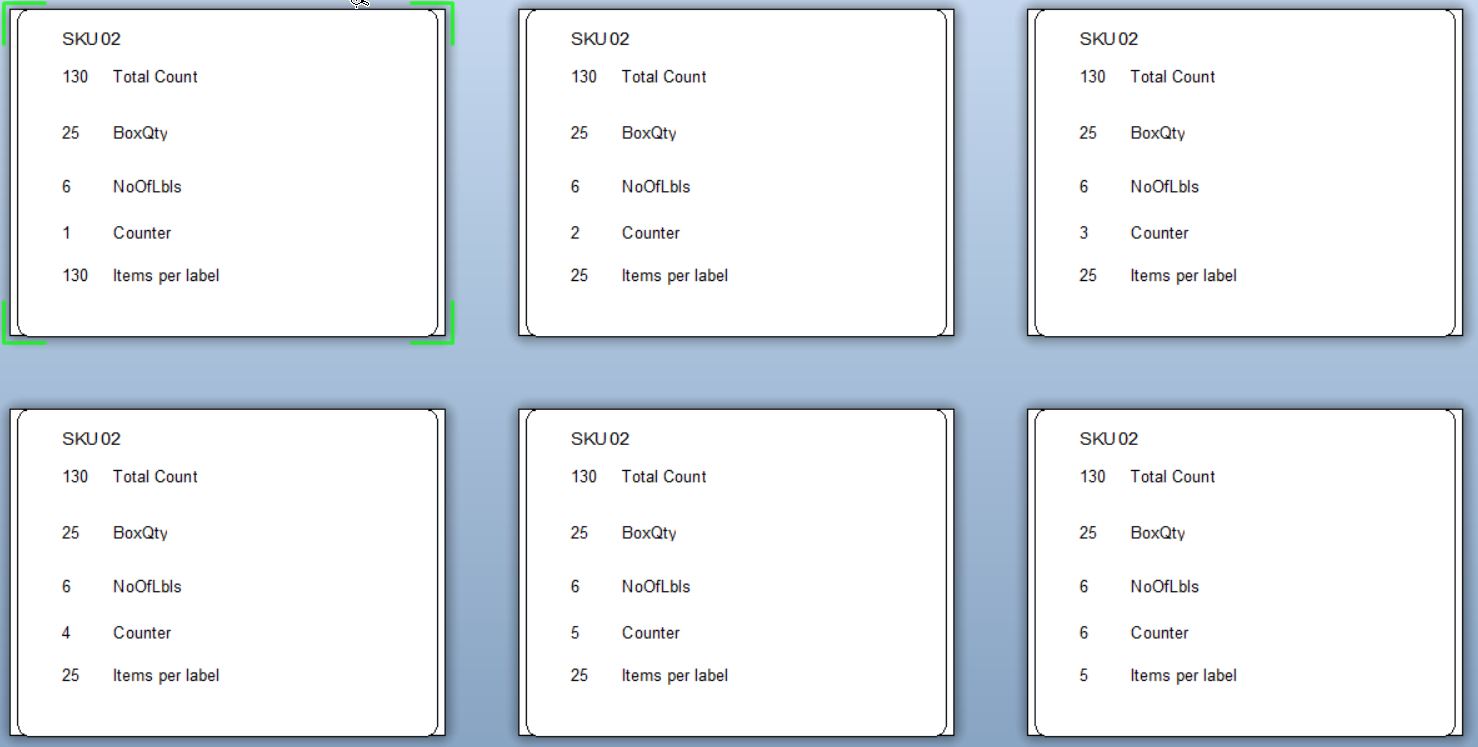
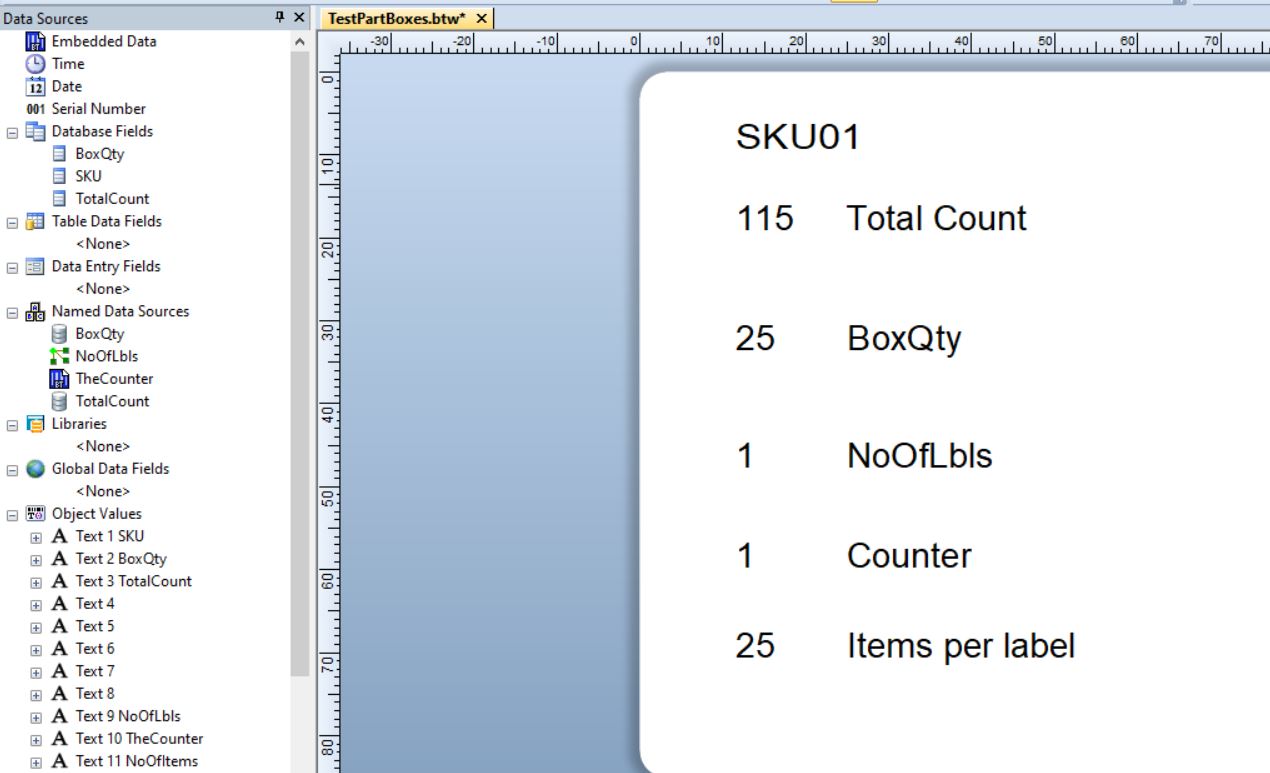
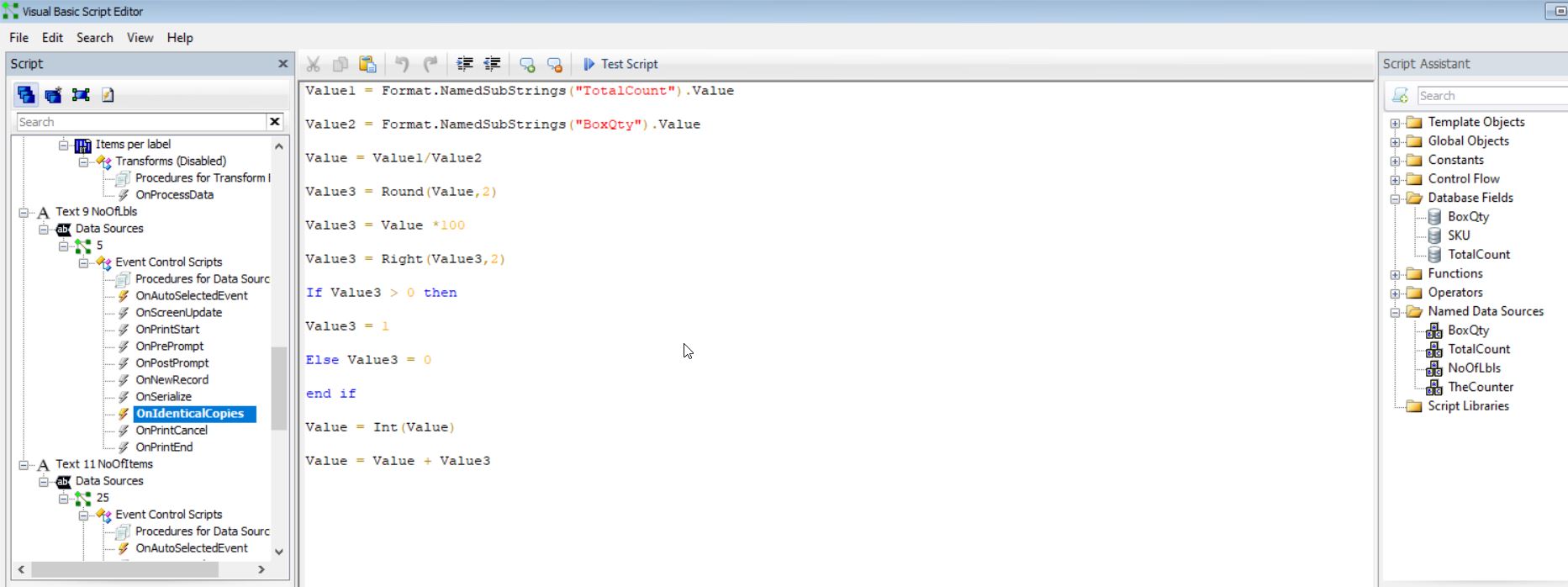
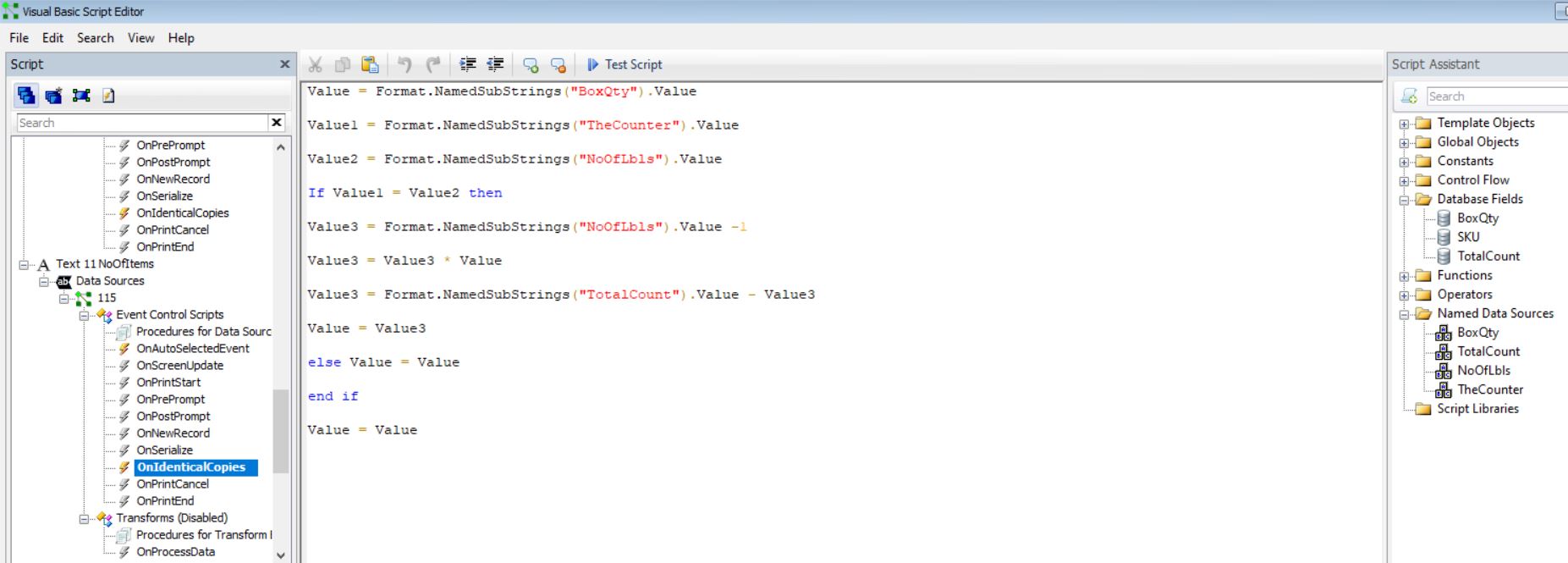 0
0 -
Hi again
I spotted on my screenshot that I'd put the VB code in the wrong category on NoOfLbls, have since moved it to OnNewRecord but it's still giving me the same result.
0 -
I dont seem to have saved that label so have had to rebuild it from the noted from the other post and it all works correctly for me.
I would suggest running the NoOfLbls VB to run OnNewRecord and the Items per Label OnSerialise
0

Bitte melden Sie sich an, um einen Kommentar zu hinterlassen.
Kommentare
7 Kommentare