Update the contents of one text input box based on contents of another

On a data entry form I have a text input box with autocomplete enabled, linked to column (A) in an external database. I may select any record or free type a new entry.
On another text input box on the same form, I would like the contents to automatically update to column B contents of that external database for the selected record, else free type a new entry.
Is this possible to do?
NB I have two data entry forms and two templates in one document with a database connection already setup.
-
No that isn't currently possible to do you cannot chain entry boxes. It has come up a couple of times on the forums before but not sure if it on the wish list for features.
Not exactly what you are after the closest would be to set up a database filter for the 1st selection adding it as a Text Input field (#) and then add a record selector for the 2nd option.
# you could alternatively set it as a Dropdown input linked to the Database column rather than a Text input box. The only problem would be is you would get duplicate entries in the dropdown list. I guess there could be a way round this if you could create a custom SQL statement to ignore duplicates but not a clue if that would be possible or how to do it. The image below shows this in action and I have included my simple data table as an image on the form too. I cannot show the image with the dropdown selection open but this shows 1111,1111,1111,2222,2222 and 2222 in a column
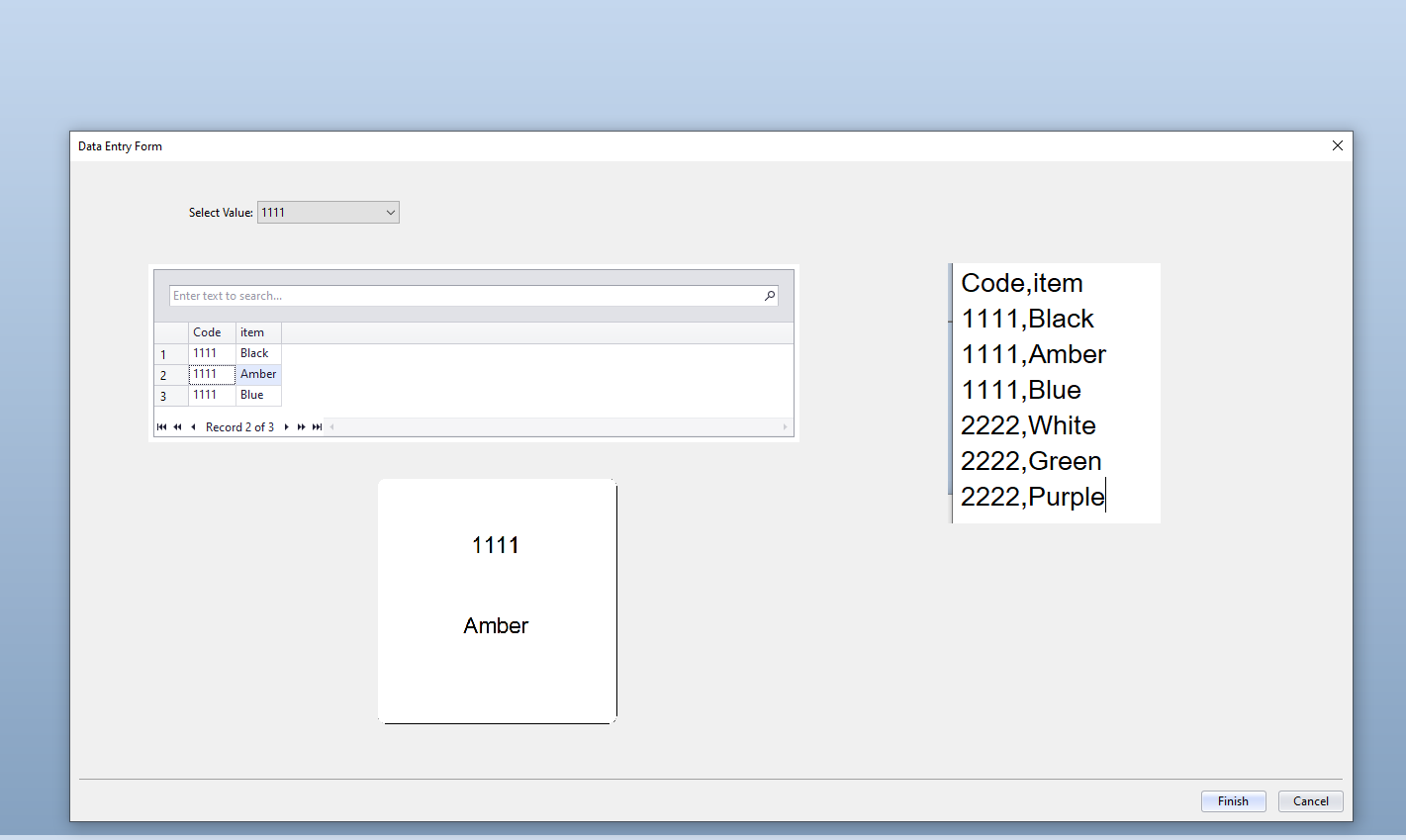
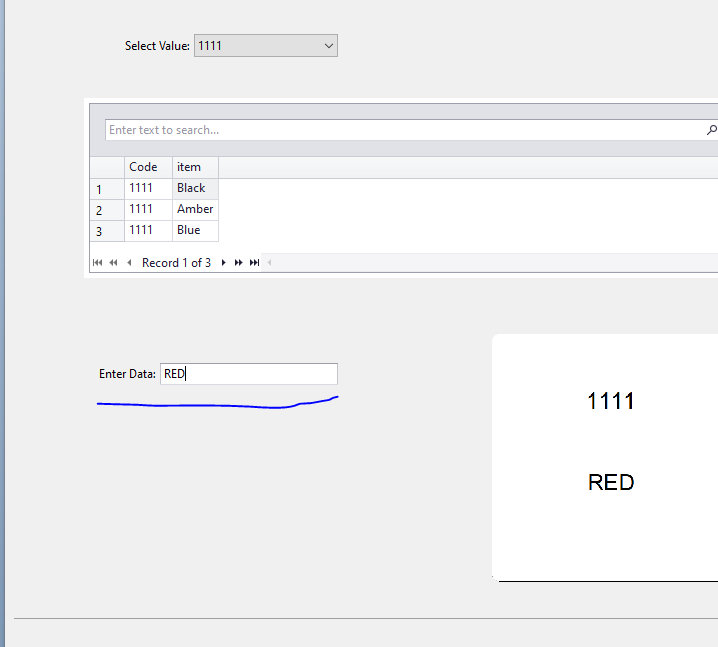
You could also add a text box and link it to the either of the fields which will populate with the data from the selected record but that you can then overtype with a different value, such as shown below, but you would need to select a record first
 0
0 -
Not really what I need, I'd like to select a product in the first text input box ( or if not available under auto-complete I can free type it). Then the next input box would autocomplete with the attributes in a linked database column (or again, allow me to free type if necessary).
For now, I'm concatenating them both in the first input box to autocomplete together then cut and pasting half of it into the next box.
Also noted auto-complete doesn't work in text boxes with greater than one line! A bug I think.
0 -
Joining field together in my database to populate one text input box then cutting and pasting the bit I need into another textbook is working but I wish there was a way to do this automatically. Can't see why two autocomplete boxes aren't allowed on one form with some sort of IF THEN statement ie if entry in text input box 1 = record 'x' then display data from column 'y' in text input box 2.
0

Bitte melden Sie sich an, um einen Kommentar zu hinterlassen.
Kommentare
3 Kommentare