4 colums label

0
-
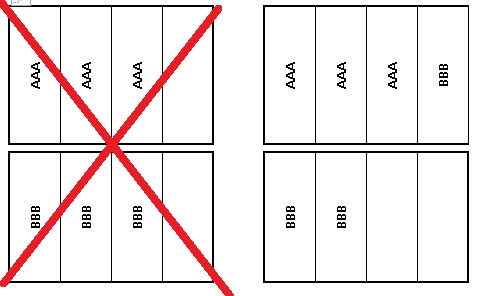
how can i print like figure 20 -
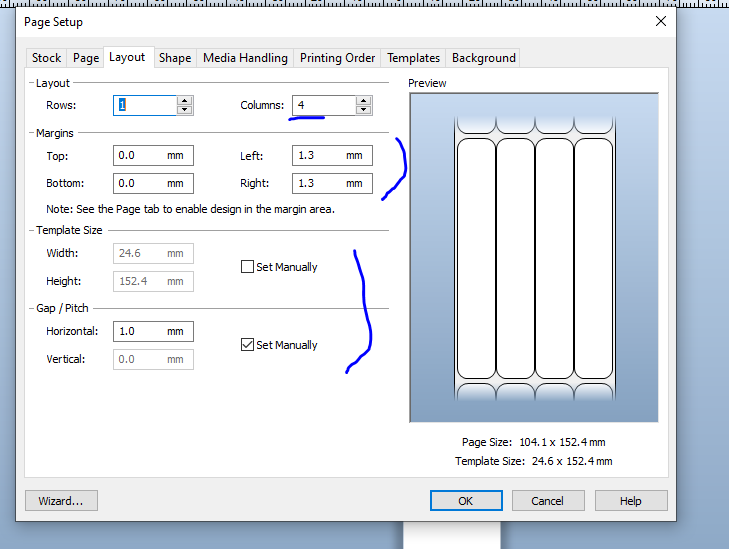
In you page setup create the page height as the height of the label itself (ignore the gaps to the top and bottom) but for the width measure the full width of the label roll including the backing paper.
On the Layout tab set your columns to 4 and adjust the right and left margins to allow for the backing paper/gutter at either edge of the roll of labels. You may either want to set manually the size of each individual template or else include the horizontal gap between the labels.
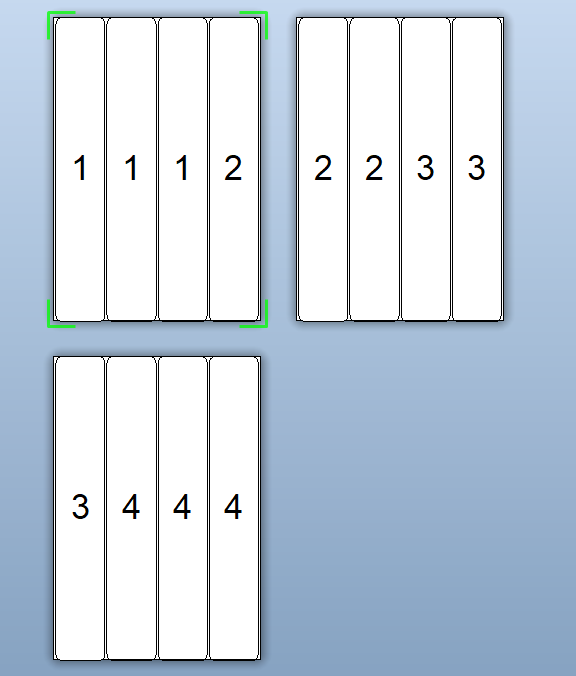
For the same below I just used a sequential number on the label and told BarTender to print 4 serial number and 3 copies of each and this was the result
 0
0

Bitte melden Sie sich an, um einen Kommentar zu hinterlassen.
Kommentare
2 Kommentare