Serialization /counting on one label

Hi
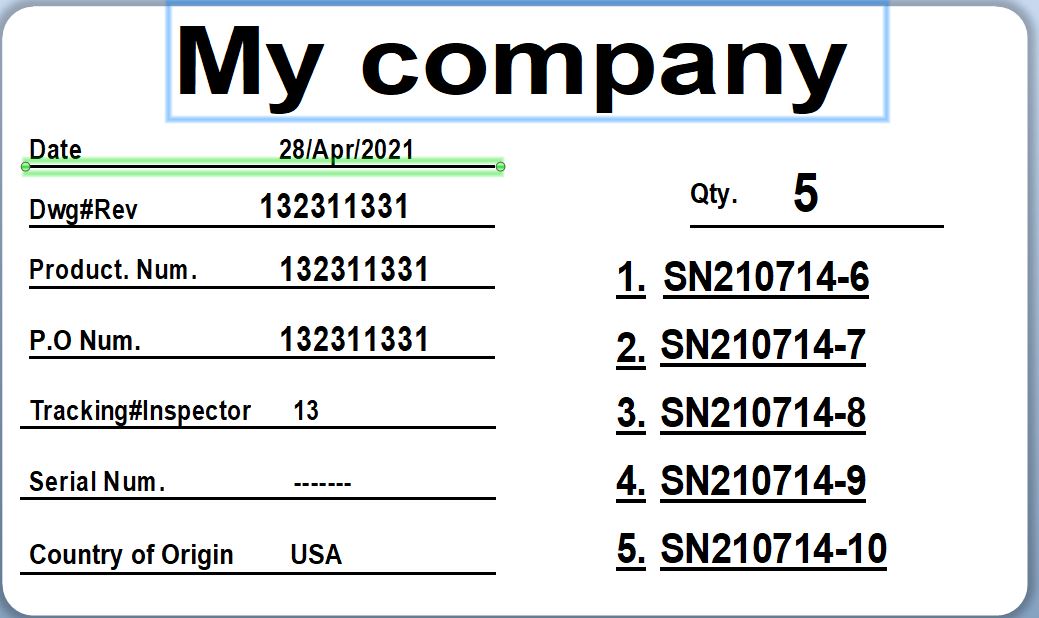
I want to print a lable that shows the serial numbers that are in a package.
Mostly the serial numbers are in a Serialization / sequential order, if its a small batch I use my scanner to read the barcodes.
Units in package 5
1. SN20211401
2. SN20211402
3. SN20211403
4. SN20211404
5. SN20211405
-
So I am guessing what you want is to enter the starting number and then the next 4 fields to increment by 1 each time.
One way to do with would be to use a simple VB routine:
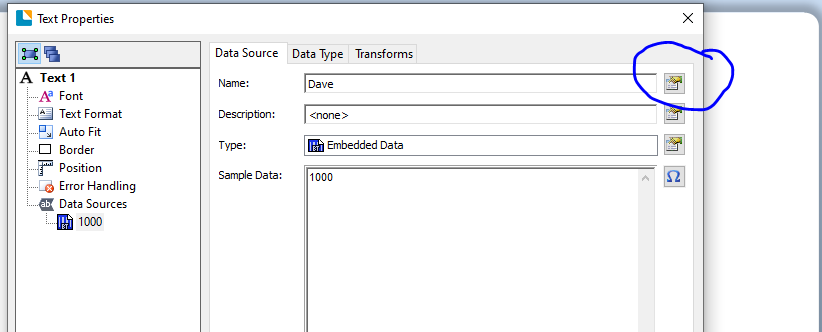
Give the starting input field a name to make it a Named Data Source so you can reference it in the VB. Use the highlighted button in the Properties of the field. I just called it Dave for this sample,
For each subsequent field set them as VB Script Single Line script fields and then press the Edit Script button
Delete the "Sample Text" from the central box and in the column on the right double click on your Named Data Source which will add the field into the script box and then type + 1 in the box after that so it should look something like this

Repeat this process for the other three fields replacing the + 1 with a + 2, + 3 and a + 4 respectively.
I hope this helps
0 -
Hello Pete
Thank You
EW
0

Bitte melden Sie sich an, um einen Kommentar zu hinterlassen.
Kommentare
2 Kommentare