Print multiple labes from a single cut and paste

Greetings,
I would like to be able to print multiple barcode labels from a single cut and paste at print time.
As an IT department we barcode new equipment new servers and networking equipment when we receive it. Different office will send a list of serial numbers in an email. I can do cut and paste one serial at a time, but it gets tedious. I would like to have a text field where I can paste a long list of serial numbers with one serial per line then have each line printed on a separate label all in one swift step.
How can I configure this?
Thanks,
Randy
-
The simplest way to achieve this is create your label in BarTender and then link the label to a dummy database that matches the layout you want to use in the correct location
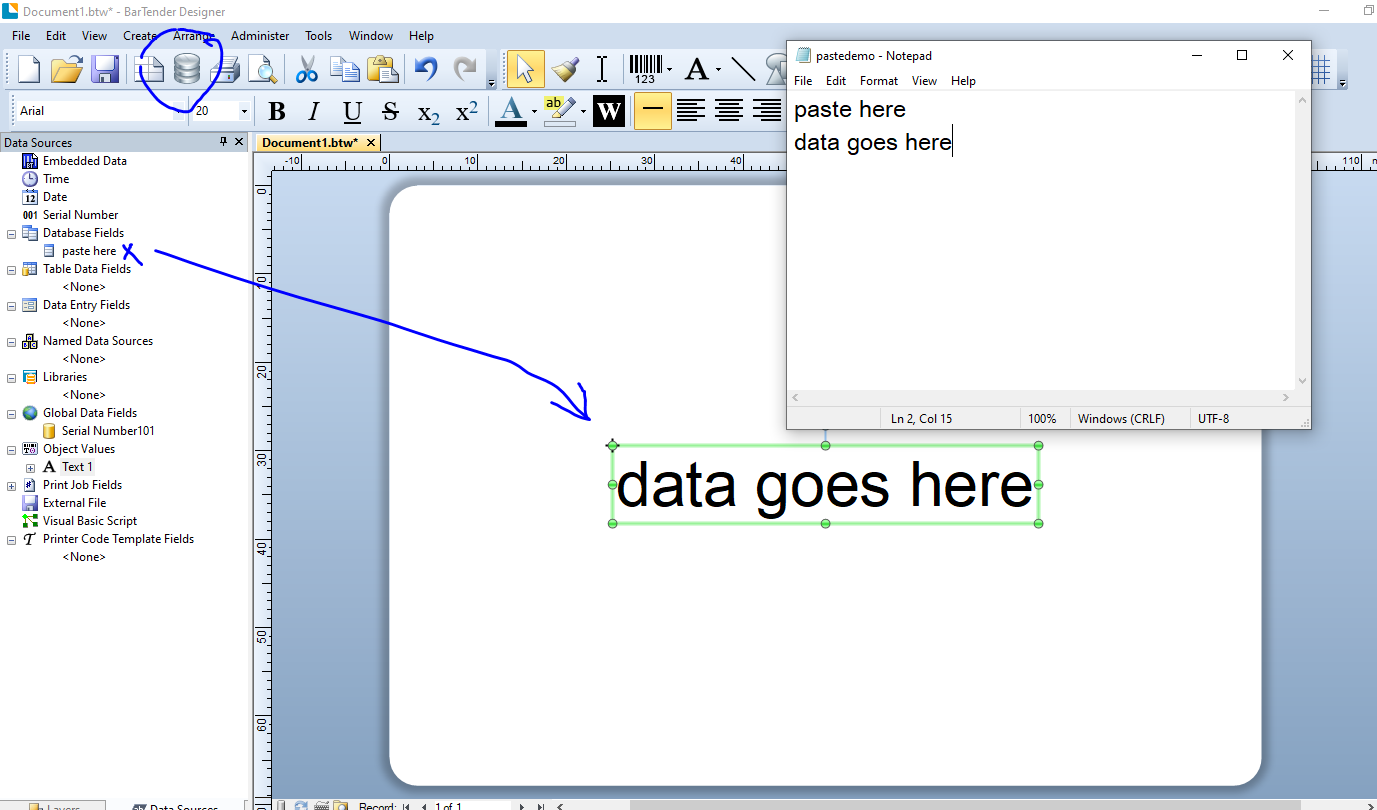
I have just used a simple text file for the images below saved to my desktop. Use the Database Connection Setup to create the link following the on screen prompts. I will paste the "live" data to be printed from line 2 and so have told BarTender the first line (paste here) is the field header.
Once you have created the link you can then drag the database field onto your label. If you don't use a field header the column on the left were refer to the fields by number instead, ie Field 1 etc :
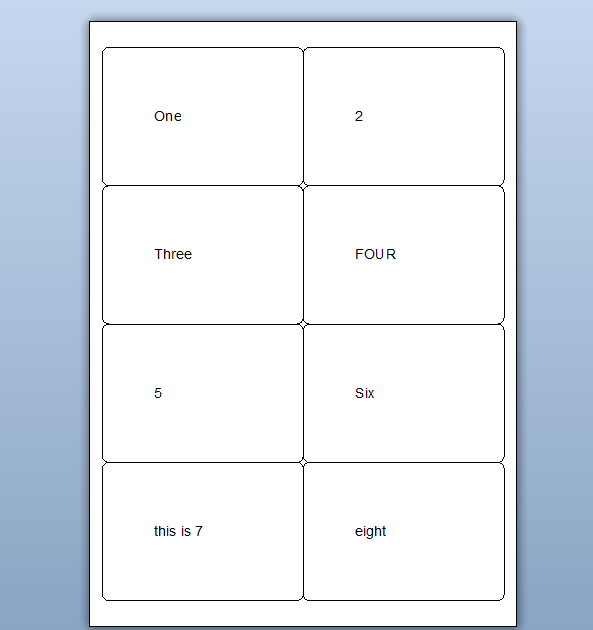
The data I am going to paste into the "database" and then save is as follows and the printed output is shown below (although I am just looking at the Print Preview)
One
2
Three
FOUR
5
Six
this is 7
eight
I hope this helps
0

Bitte melden Sie sich an, um einen Kommentar zu hinterlassen.
Kommentare
1 Kommentar