Rotation of Different Artworks

Asking as there seems to be 0 discussion about this.
Context: We use a thermal transfer printer with pre-printed label elements (Health warnings for cannabis product) and will soon be moving to a full in-house printing solution.
Issue: We need to be able to tell the printer to rotate through all 8 health warnings sequentially. (1,2,3,4,5,6,7,8,1,2,3,4,5,6,7,8,etc) However I cannot find an instance where a solution to this has been detailed. I know this is a feature as speaking outside the industry, this has been done. Can anyone inform me how to accomplish this (short of printing 100 of a label, and manually switching the art and keeping track of what is printed) or direct me to what I may have missed that answers this.
Everything I have learned on Bartender has been experience based as I go, so apologies if I come off as clueless on the subject.
Thanks in advance,
-
Not sure exactly what you mean. Do you mean you are printing the same label 8 times but each one with a different image on it?
0 -
Yes, for example think of packaging for tobacco products, with rotating health warnings that are different depending on the package you receive. Currently, our pre-printed labels have them cycling all 8 then repeating, and we would like to move this to an in-house process. Any ideas?
0 -
One way would be to create 8 templates of the same label with a different picture embedded on each template
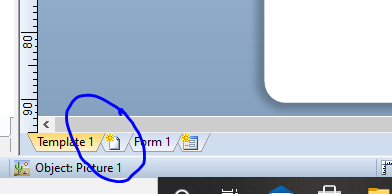
Or else save each image file as a number (1 to 8) and then add a Get File Name from Data Source Picture with embedded data value of 1 and...
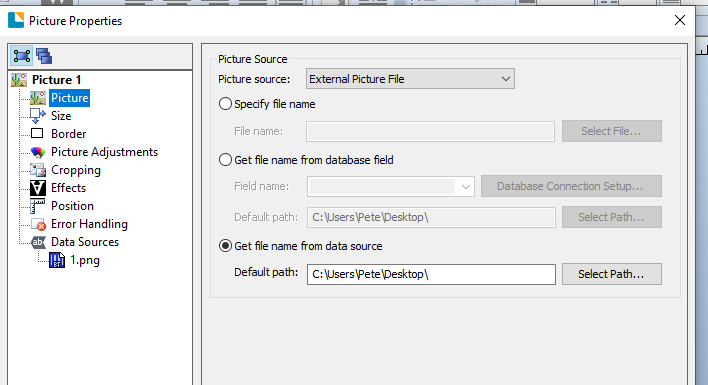
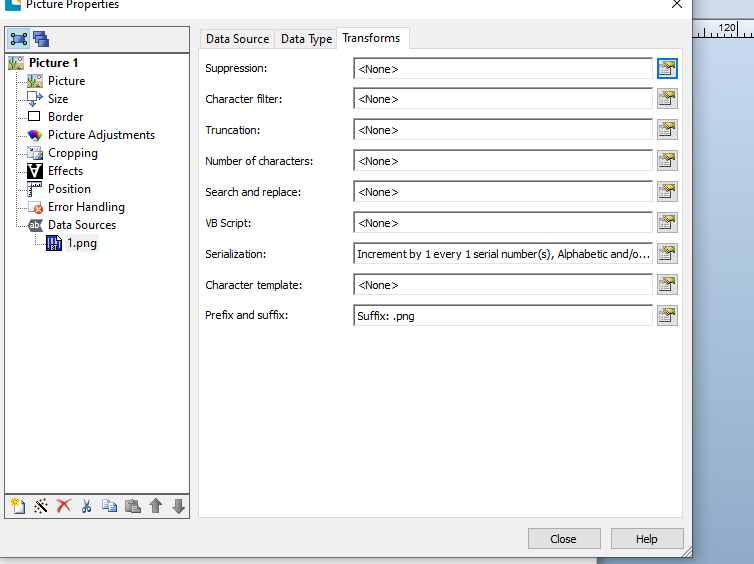
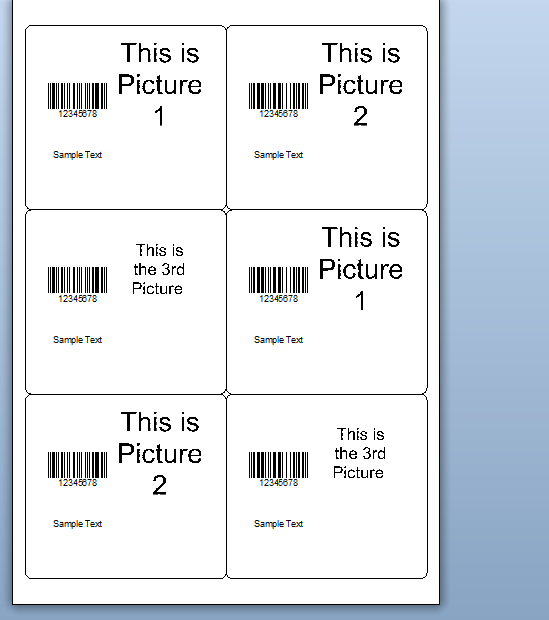
.... then configure this field to be a sequential field that resets when it gets to 8 and a suffix on to the file with the .jpg or ,png file extension. I used .png as you can see in the image below and only created 3 quick pictures to show the printed output when printing 6 sequential labels (bottom image)
I hope this helps
 0
0 -
Definitely a point in the right direction for me! These are for "jar" labels on a roll of gapped labels, not a page or continuous label, so I may need to tinker with it just a bit, thanks for the info!
0 -
It is the same principal, I just set it up as the page as an A4 sheet with 6 label on it rather than as a single label with the same config as you would have only seen one label at a time on the print preview and so not seen the graphic changing
0

Bitte melden Sie sich an, um einen Kommentar zu hinterlassen.
Kommentare
5 Kommentare