Data Entry Calculation using VB script

Hi,
I am new to this software so please be easy. I have a list of products each with a specific weight in a connected database. Is there a way for me to be able to use a dropdown box to select the desired part then an input box to specify a quantity and have it output the total weight of the part? Basically, I am trying to multiply a known number by an inputted one. I have tried a few things in VB script, but can't seem to solve it. Thanks for any help.
-
You would need to include a VB>Event Controlled routine to calculate this.
In the Properties of the two Data Sources on the label give each field a Name via the Change Data Source Name button. In my examples I used WGT and QTY as the names.
For the calculation field you may want to set the Type of this Number and possibly add a suffix for the units (ie Kg)
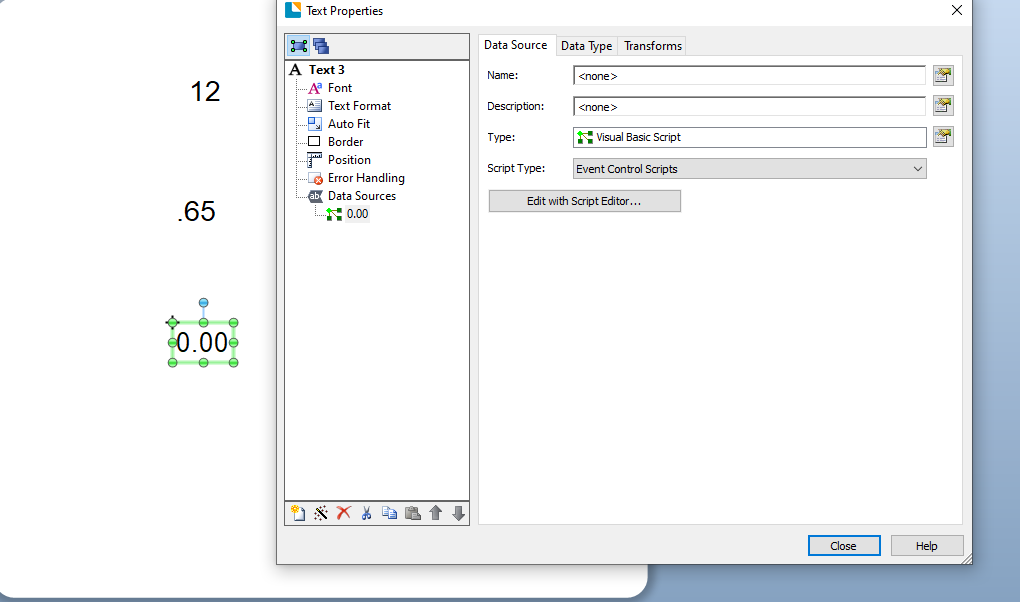
Set the Type for this field as Visual Basic Script and the Script Type to Event Controlled Script and then press the Edit with Script Assistant button
In The On AutoSelected Event give the field a default value such as
Value = 0
and then in the column on the left scroll down to the OnPostPrompt option.
In the central box type
Value =
then in the column on the right scroll down to the Named Data Sources and double click one of the fields you name above.
Then on a new line type
Value = Value *
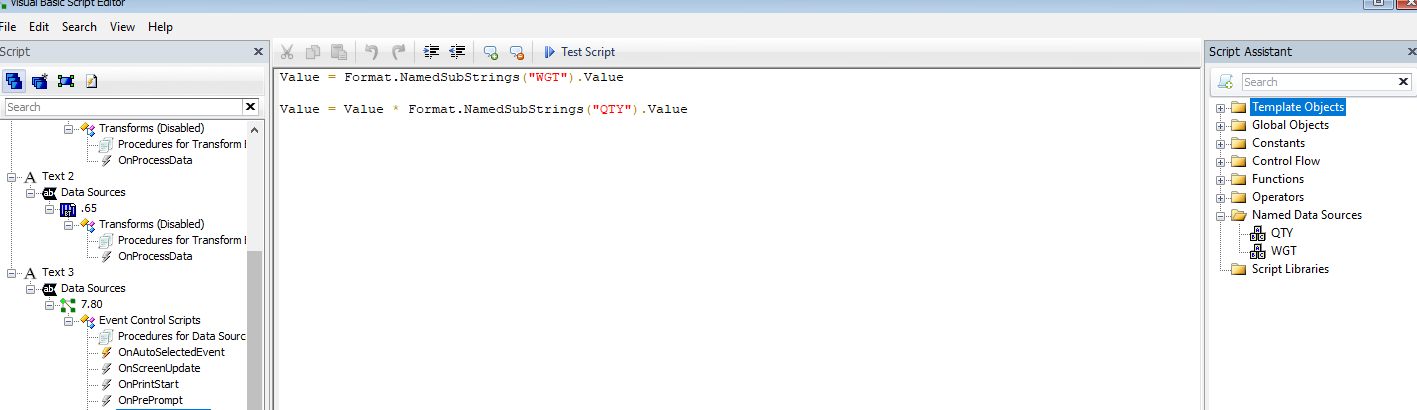
Then as above double click on the second named data field and so the screen should look a bit like the image below and you are done.
I hope this helps
 0
0

Bitte melden Sie sich an, um einen Kommentar zu hinterlassen.
Kommentare
1 Kommentar