Missing all colums in printer dialog

Hi!
I have often the problem that all columns of the Excel Database are missing in the printer dialog when selecting "choose Data" (in German it is "Datensätze auswählen" I do not know what's the original text on the button)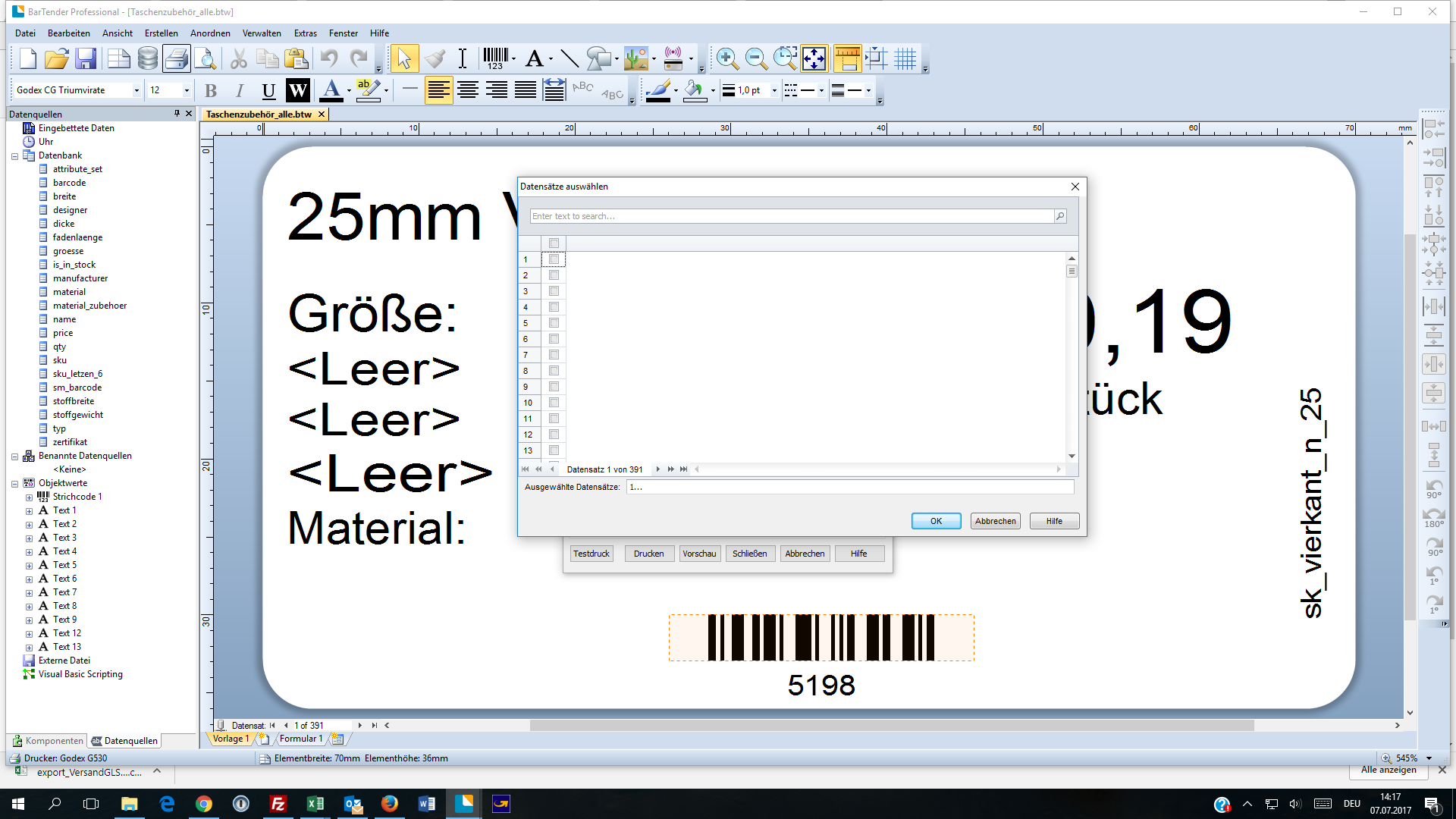
Here you can see the problem on a screenshot. Only the Numbers ob the dataset is shown.
Thanks for helping.
Ernst
0
-

Shotaro Ito
★ BarTender Hero ★
Try - right click the column header and select show all fields.
0
Bitte melden Sie sich an, um einen Kommentar zu hinterlassen.
Kommentare
1 Kommentar